Send a Fax from Computer for Free: A Modern Guide
Believe it or not, you can absolutely send a fax from a computer for free. It’s all thanks to online fax services that let you upload a document, punch in a fax number, and send it on its way through the internet. No fax machine required.
Why Sending a Fax From Your Computer Makes Sense
I get it. Faxing feels like a relic from another era, right up there with dial-up modems and floppy disks. But the reality is, it's still a critical tool in many industries. Fields like healthcare, law, and finance depend on faxing because of its legal weight and rock-solid security. When a fax is sent, it creates a point-to-point, verifiable transmission—something that’s often non-negotiable for sensitive information.
Bridging Old-School Security with Modern Convenience
The biggest selling point for faxing has always been security. Think about it: an email can be intercepted, spoofed, or just land in a spam folder, never to be seen again. A traditional fax, on the other hand, travels directly over a dedicated phone line. This gives it a clear, traceable path that's incredibly difficult to mess with.
That's why it's still the go-to for documents like:
- Medical records governed by strict privacy laws
- Legally binding contracts and other official agreements
- Financial statements and sensitive government forms
Of course, we all remember the headaches of old-school faxing: the bulky machines, the paper jams, the dreaded busy signal, and needing a physical phone line. That’s exactly where online faxing comes in to save the day, giving you the best of both worlds.
Modern online fax services have completely transformed this process. They combine the trusted, secure nature of traditional faxing with the digital convenience we expect today, allowing anyone to send a fax from a computer for free.
The Digital Shift in Fax Technology
Instead of dying out, faxing just adapted. Its staying power isn't just about old habits; it’s a testament to its sheer reliability. In fact, industry data showed that even as recently as 2017, billions of faxes were still being sent every year, with over 80% of businesses still using fax in some form. You can dig into these faxing industry insights to see just how common the technology still is.
This is precisely why knowing how to send a fax from your computer is such a useful skill. It opens up a secure, legally recognized communication channel without any of the old-school baggage. All you need is your computer, an internet connection, and the document you want to send. No extra hardware needed.
Sending Your First Free Fax From Your Computer
Alright, let's get down to business. You know it’s possible, so how do you actually send a fax from your computer without paying a dime? I'll walk you through it using SendItFax as our example. Honestly, it’s much simpler than wrestling with an old office fax machine and you can knock it out in just a few minutes.
First thing’s first: head over to the service’s website. Most free providers have their "send a free fax" portal right on the homepage, so it’s hard to miss. You’re looking for the spot where you can just jump in and start building your fax without having to pull out your credit card or even create an account. That’s the beauty of it—no commitment.
Getting Your Document Ready
Before you upload anything, let's talk about the document itself. This is probably the most critical part. A fax transmission is basically a black-and-white photocopy sent over a phone line, so clarity is everything. If your original file is blurry, fuzzy, or has weird colors, it’s going to look even worse on the other end.
For the best and most reliable results, always use a PDF (.pdf). It’s the gold standard for online faxing because it locks in your formatting, fonts, and images, ensuring the recipient sees exactly what you intended.
Here are a few quick tips I've learned over the years:
- Stick to simple, bold fonts. Fancy, thin, or curly fonts like scripts can turn into an unreadable mess during transmission. Think Arial, Times New Roman, or Calibri.
- Go for high contrast. You can't beat classic black text on a crisp white background. Avoid colored text or shaded backgrounds, as they just get converted to grayscale and can make your text disappear.
- Check your images. If you have a logo or a diagram in your document, make sure it’s a high-resolution version. A pixelated image will only get worse when it’s faxed.
Taking a minute to prep your file makes all the difference in whether you look professional or sloppy.
Putting It All Together and Hitting Send
Once your document is polished and ready, the rest is pretty easy. The sending interface on sites like SendItFax is usually just a simple web form, designed to get your fax out the door without any confusion.
Here’s a look at a typical layout you’ll encounter.
As you can see, it's all laid out logically—sender info, recipient info, and a big button to upload your document. No guesswork needed.
First, upload your PDF. Then, carefully type in the recipient’s information. This is where you need to pay close attention. One wrong digit and your fax is going into the void.
Pro Tip: Always double-check the recipient's fax number. If you're sending a fax internationally, you have to get the country and area codes right. For example, any number in the United States or Canada needs to start with +1.
Most services also give you the option to add a cover sheet, and I recommend using it. It's a professional touch that acts like a quick intro note. You can add a subject line and a short message to give the recipient some context before they dive into the main document.
And if you’re looking for other ways to get this done, we’ve also put together a guide on how to fax via email, which is another incredibly handy method.
Getting Confirmation That It Actually Worked
After you’ve filled everything out and clicked that "Send Fax" button, the online service does the heavy lifting. It dials the number, waits for the receiving machine to answer, and then transmits your document page by page. This can take a couple of minutes, especially if the line on the other end is busy, so don't panic if it's not instantaneous.
The best part? You're not left wondering if it went through. Any good service will send you an email confirmation as soon as the job is done.
This confirmation email is your official proof of delivery. It’s more than just a simple "it worked" message; it usually contains key details like:
- The final status (Success or Failed)
- The recipient’s fax number
- The exact date and time it was sent
- The total number of pages transmitted
Be sure to save this email. For any business, legal, or official correspondence, that little confirmation receipt is your proof that the document arrived safely. And just like that, you've managed to send a fax from your computer for free.
What To Expect From Free Faxing Services
The idea of being able to send a fax from computer for free is fantastic, especially when you’re in a pinch and need to get a signed document over to someone right away. But it's good to go in with your eyes open. These services almost always run on a "freemium" model—they give you a great basic service for free, hoping you'll eventually need more and upgrade to a paid plan.
Think of it as a free sample. It’s perfect for the occasional task, like sending a one-off invoice or a signed permission slip. But these services have guardrails in place, and knowing what they are ahead of time will save you from any nasty surprises.
Common Limitations You Will Encounter
Right off the bat, you'll almost always run into a page limit. Most free fax services cap how many pages you can send at once or over a certain period. For example, a common limit is 5-10 pages per fax and maybe only a couple of faxes per day. That’s plenty for a quick contract, but you’re not going to be sending a 50-page business proposal with a free account.
Another big one? You usually can't receive faxes. Free online faxing is typically a one-way street. You can send documents out, but you won't get a dedicated fax number for people to send faxes back to you. For that, you’ll definitely need to look at a paid subscription.
Still, the process for sending is incredibly simple.
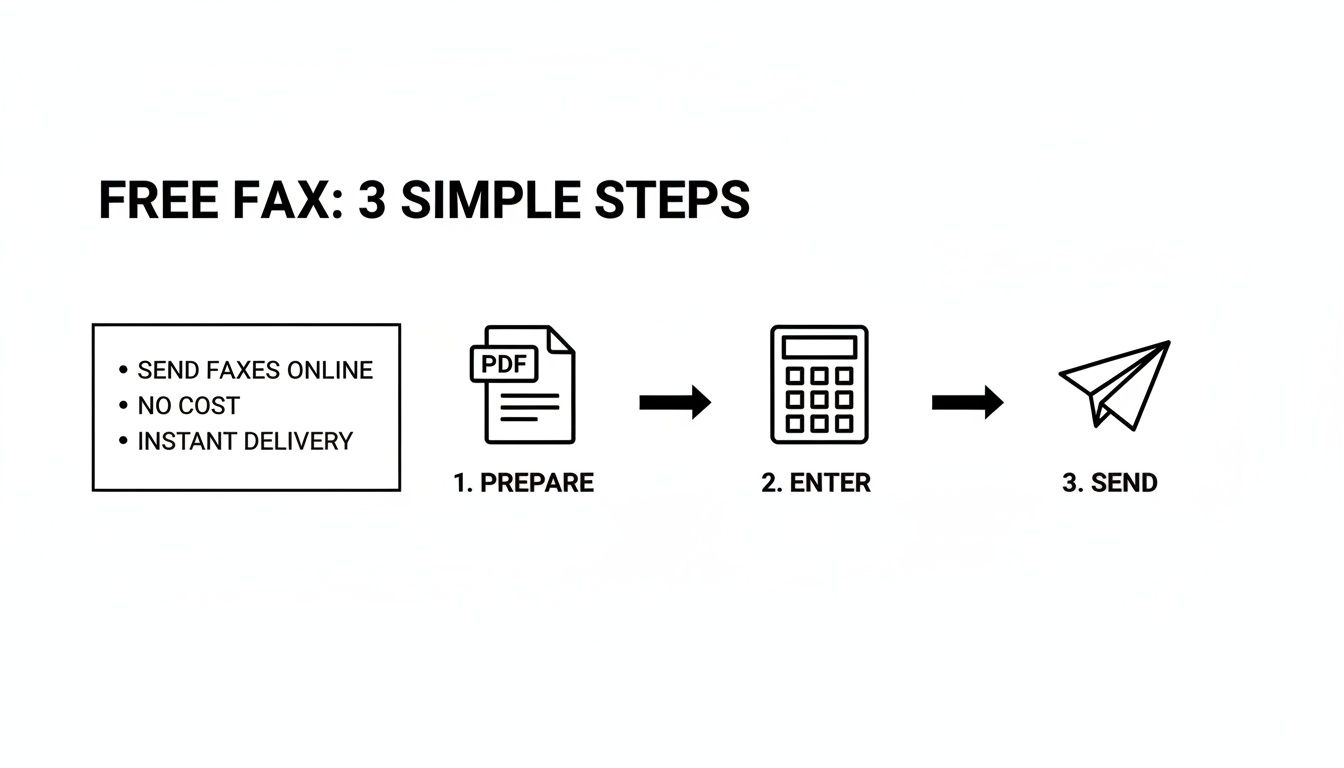
As you can see, it really just boils down to getting your file ready, typing in the fax number, and clicking send.
The Freemium Trade-Off: Branding and Ads
Don't be surprised to see the service's branding on your fax. To pay the bills, many free providers will add their logo or a small ad to the cover sheet that goes with your document. It's a small price to pay for the convenience, but it's something to keep in mind if you need a spotless, professional look for an important client.
These free tiers are a fantastic modern convenience. They bridge the gap for people who need to fax something but don't have a machine, usually offering a handful of free pages before asking for payment.
To give you a clearer picture, I've put together a table that breaks down what you typically get with a free plan versus a paid one.
Free vs Paid Online Faxing Features
| Feature | Typical Free Plan | Typical Paid Plan |
|---|---|---|
| Sending Faxes | Yes, with page and daily limits (e.g., 10 pages/day) | Yes, with much higher or unlimited monthly pages |
| Receiving Faxes | No | Yes, includes a dedicated local or toll-free fax number |
| Branding | Provider branding/ads on the cover page | No branding, professional and clean cover pages |
| Customer Support | Limited (email or FAQ/knowledge base only) | Priority support (phone, chat, and email) |
| Security | Basic security measures | Enhanced security, often with HIPAA compliance options |
| File Storage | Limited or no storage of sent faxes | Secure cloud storage and fax archiving |
| International Faxing | Usually not supported or very limited | Supported, often with competitive international rates |
This comparison makes it clear: free services are ideal for occasional, non-critical faxes. If you find yourself needing to fax regularly or handle sensitive information, a paid plan quickly becomes the better option. You can get more details on how different free online fax services operate to see which might fit your specific needs.
Is Sending a Fax From My Computer Actually Secure?
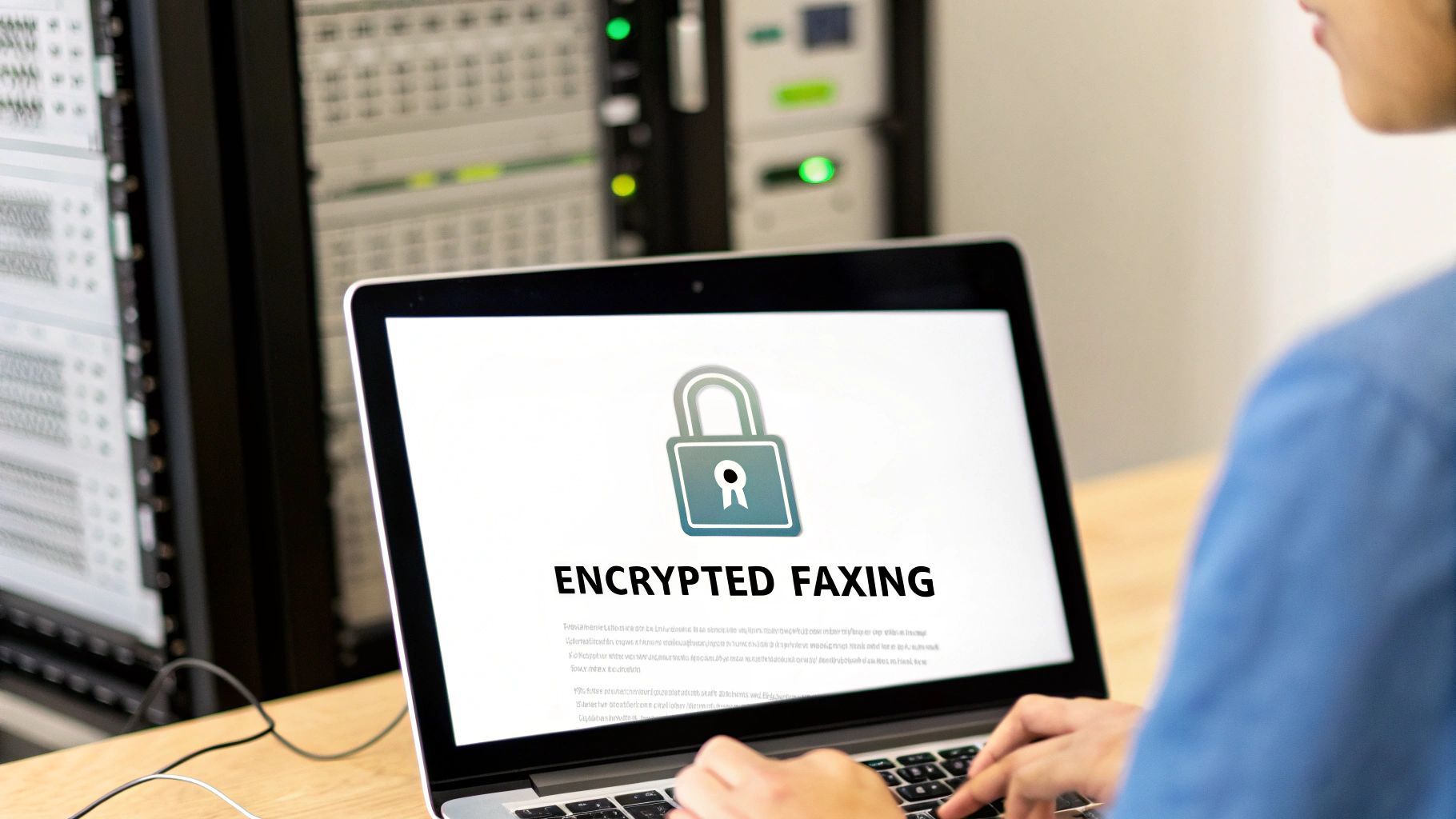
Security has always been the quiet superstar of faxing. It’s a huge reason why industries like healthcare and law still rely on it for sensitive documents. When you send a fax from computer for free, you're tapping into services that take this legacy of security very seriously, but with a modern digital twist.
The moment you upload a file and hit send, it isn’t just floating unprotected across the web. Reputable services use strong encryption like Transport Layer Security (TLS). This is the same stuff that protects your credit card information when you shop online, creating a secure, scrambled tunnel between your computer and the fax service's servers.
Once your fax hits their data center, another layer of protection kicks in. The files are kept on secure servers before being sent out over traditional phone lines to the recipient's machine. It's this blend of new-school digital encryption and old-school analog transmission that makes online faxing a surprisingly robust way to send confidential info.
Your Part in Keeping Faxes Private
While the fax service handles the heavy lifting on the tech side, you still play a crucial role in keeping your information private. A few simple habits can make all the difference.
First and foremost, always double-check the recipient's fax number. Seriously. A single wrong digit is all it takes to send your private documents to a complete stranger. It’s the simplest step, but it’s also where things most often go wrong.
If you’re using a service that requires an account, your password is your front-line defense.
- Make it strong: Mix upper and lowercase letters, numbers, and symbols. Don't make it easy to guess.
- Keep it unique: Never reuse passwords from your email or social media accounts. A breach on one of those sites could expose your fax account.
One of the biggest, and often overlooked, privacy wins for online faxing is that it completely bypasses the shared office fax machine. A confidential document arriving at a communal machine can sit in the output tray for anyone to see. A digital fax, on the other hand, lands securely in the right person's inbox.
Not All Fax Services Are Created Equal
It's important to remember that security measures can vary wildly between different free faxing platforms. You need to do a little homework on what protections a service actually offers.
People often ask about the safety of specific providers, and it’s a valid concern. We dig into this very topic in our deep dive on whether platforms like FaxZero are safe, which can give you a good checklist for vetting any service you're considering.
By choosing a service that's transparent about its encryption and by following smart security practices yourself, you can send sensitive information with confidence. You’re ensuring your documents stay private from the second they leave your computer until they land securely at their destination.
Solving Common Problems When Faxing Online
Even with a great tool to send a fax from computer for free, sometimes things just don't go as planned. You hit send, walk away, and a few minutes later you get that sinking feeling when the "failed transmission" email lands in your inbox. It’s frustrating, but don't panic. The fix is usually surprisingly simple once you know where to look.
Most of the time, fax failures can be traced back to just a few common culprits. The number one offender? A simple typo in the recipient's fax number. It happens to the best of us. Another frequent problem is a busy signal—the machine on the other end could be tied up or even switched off. The best approach here is often just a bit of patience.
Why Did My Fax Fail?
When a transmission doesn't go through, your first move should be to check the confirmation email from the service. It often contains an error code or a brief explanation. If the message is vague, run through this quick mental checklist to figure out what went wrong.
- Wrong Number: Did you double-check every digit? Make sure you included the +1 prefix for any U.S. or Canadian numbers.
- Busy Signal: The receiving line was occupied. This is super common. My advice? Wait 10-15 minutes and then try resending it.
- Unsupported File: Online fax services love PDFs. If you sent a complex spreadsheet or a massive image file, the system might have struggled to convert it properly.
- No Answer: This means the receiving fax machine might be turned off, out of paper, or having technical difficulties of its own.
The real beauty of online faxing is that a failure isn't the end of the world. Unlike the old days of standing over a machine, you don't have to start from scratch. Your digital file is saved and ready, so resending is usually just a one-click affair.
Making Sure Your Faxes Look Clean and Professional
Sometimes the fax goes through, but the feedback you get is that it looked awful—blurry, smudged, or just plain unreadable. This is almost always an issue with the original document, not the fax service itself. You have to remember that a fax is basically a low-resolution, black-and-white picture of your document.
To ensure your faxes always arrive looking crisp and professional, the trick is to start with a high-quality source file. A clean, high-resolution PDF is your best friend here.
For maximum clarity on the receiving end, follow these simple tips:
- Use simple, bold fonts. Stick with classics like Arial or Times New Roman. Thin, fancy, or decorative fonts tend to break apart and become illegible during transmission.
- Think high contrast. You can't go wrong with black text on a plain white background. Avoid colored text or shaded backgrounds, as they often turn into a gray, murky mess.
- Watch your font size. Anything smaller than a 10-point font is a gamble. Keep it readable.
By prepping your document with these things in mind and methodically checking for issues when a transmission fails, you’ll get your message across clearly and reliably every single time.
Knowing When It's Time to Upgrade Your Fax Service
Let's be honest, being able to send a fax from computer for free is fantastic for those rare, one-off situations. Need to send a signed rental agreement or a quick medical form? A free service gets the job done without you having to leave your chair.
But these free options are really just a starting point. Think of them as a trial run. If you find yourself faxing more than just occasionally, you'll eventually hit a wall where the free plan's limitations start causing more headaches than they're worth.
Recognizing that tipping point is crucial. It’s the moment your faxing needs shift from "once in a blue moon" to "part of my regular workflow." If you're sending faxes multiple times a week, a paid plan will almost certainly pay for itself in saved time and a more professional appearance.
Signs You've Outgrown Free Faxing
The biggest red flag? You need to receive a fax. Free services are strictly a one-way street—you can send documents out, but you don't get a dedicated number for anyone to send faxes back to you. If a client, doctor's office, or partner needs to fax you something, a paid plan with your own number isn't just a nice-to-have; it's a necessity.
Here are a few other clear indicators that it's time for an upgrade:
- You want to look professional. Paid services remove all the provider's branding and ads from your cover pages. Your documents arrive looking clean, polished, and all about your business.
- You're sending more than a handful of pages. Constantly hitting daily or monthly page limits is a real drag on productivity. Paid tiers give you a much larger allowance to work with.
- You need more advanced tools. If your workflow requires features like electronic signatures, API access to integrate with other software, or HIPAA-compliant security for sensitive data, a paid service is the only way to go.
Once faxing becomes a consistent part of how you do business, a paid plan stops being an expense and starts being an investment in efficiency. The dedicated support, better reliability, and professional features save you from hassles that are far more costly than the small monthly fee.
The online fax market is growing fast and is expected to hit $4.48 billion by 2030. As it expands, the line between casual free tiers and powerful business plans is getting sharper. You can dig into these fax market trends to see how technology is shaping the industry.
Ultimately, upgrading comes down to value. When you need reliability and a professional toolkit for serious work, a paid plan is the clear winner. To see how different providers measure up, check out our in-depth online fax services comparison and find the perfect fit.
Ready to step up from the limitations of free faxing? With SendItFax, our Almost Free plan is just $1.99 per fax for up to 25 pages and includes priority delivery with no branding. Get the professional features you need at https://senditfax.com.
Related Posts
Fax to PDF: The Modern Guide to Digital Faxing in 2026
Resource Allocation Optimization: A Practical Guide