Your Ultimate Guide to Faxing Without a Landline
Believe it or not, that clunky, noisy fax machine tethered to a dedicated phone line is a relic of the past. Today, faxing without a landline isn't some clever workaround—it’s the new standard for getting business done efficiently. It's all about using the cloud to send your documents from literally anywhere.
The End of the Landline Era for Faxing
For years, the fax machine and its dedicated phone line were a package deal. It was a costly and rigid setup, but it was the only way to send documents over those old analog signals. As businesses embraced the internet, the traditional fax became a major bottleneck. You were stuck paying a monthly phone bill for a single-use device, not to mention the constant costs of paper, ink, and repairs.
This old-school approach just doesn't fly in today's flexible work environment. What if you need to send a signed contract while you're working from a coffee shop or a client's office? With a traditional machine, you’d have to wait until you got back to your desk. It’s exactly this kind of limitation that pushed people to find a better way.
The Modern Shift to Digital Fax
The solution that emerged is Fax over IP (FoIP), the technology that makes online faxing possible. Instead of wrestling with analog signals, FoIP converts your document into secure digital packets and sends them over the internet. This jump to digital brings some huge advantages to the table.
- It’s Cheaper: Ditching a dedicated phone line is an immediate cost saving. No more random monthly bills for a machine you barely use.
- Work From Anywhere: You can send and receive faxes from your laptop, tablet, or phone—any device with an internet connection.
- Way More Secure: Reputable online fax services use strong encryption to protect your sensitive documents while they're in transit.
- Simplified Workflow: Faxes land directly in your email inbox as PDFs, making them incredibly easy to save, organize, and share.
This isn't just a small trend, either. The fax is still a surprisingly critical tool for many industries. A mind-boggling 17 billion faxes were sent globally just last year. And while 66% were still sent from traditional machines, the shift to cloud-based, landline-free faxing is picking up serious speed. You can learn more about the state of faxing on FileCenter.com.
To give you a clearer picture, let's quickly compare the old way with the new.
Landline Faxing vs Modern Alternatives at a Glance
This table breaks down the core differences between sticking with a traditional fax machine and moving to a modern, internet-based service.
| Feature | Traditional Landline Fax | Online Faxing (No Landline) |
|---|---|---|
| Required Hardware | Fax machine, dedicated phone line | Computer, smartphone, or tablet |
| Mobility | Tied to a physical office location | Send/receive from anywhere with internet |
| Cost | Monthly phone line fee, paper, ink, maintenance | Monthly or annual subscription fee |
| Document Format | Physical paper | Digital files (PDF, DOCX, JPG, etc.) |
| Security | Susceptible to physical interception | End-to-end encryption, secure cloud storage |
| Organization | Physical filing cabinets, manual sorting | Automatic digital archiving, easy search |
The contrast is pretty stark. One method is rooted in a physical location and analog technology, while the other is built for the digital, mobile way we work now.
The key takeaway is simple: Faxing technology hasn't disappeared, it has evolved. By moving from physical phone lines to the internet, it has become more secure, convenient, and better suited for the way we work today. The need to transmit secure documents remains, but the bulky hardware and dedicated landline are no longer necessary. This guide will show you exactly how to make the switch.
Choosing the Right Digital Fax Method for You
Once you've decided to ditch the landline for faxing, the real question becomes: which digital tool is right for you? It's not a one-size-fits-all situation. The best method really depends on what you do every day, whether you're a freelancer constantly on the move or a small office handling sensitive documents.
Think about how you work. For example, a real estate agent who needs to get signed offers submitted while out showing properties would find a mobile faxing app to be a lifesaver. They can literally scan a document with their phone's camera, add a signature, and send it off from their car in just a few taps.
On the other hand, a medical billing office that deals with patient records all day needs something far more secure and organized. For them, a full-featured online fax service with HIPAA compliance, audit trails, and end-to-end encryption is non-negotiable. It's all about matching the tool to the task.
This simple flowchart really breaks down the core decision.
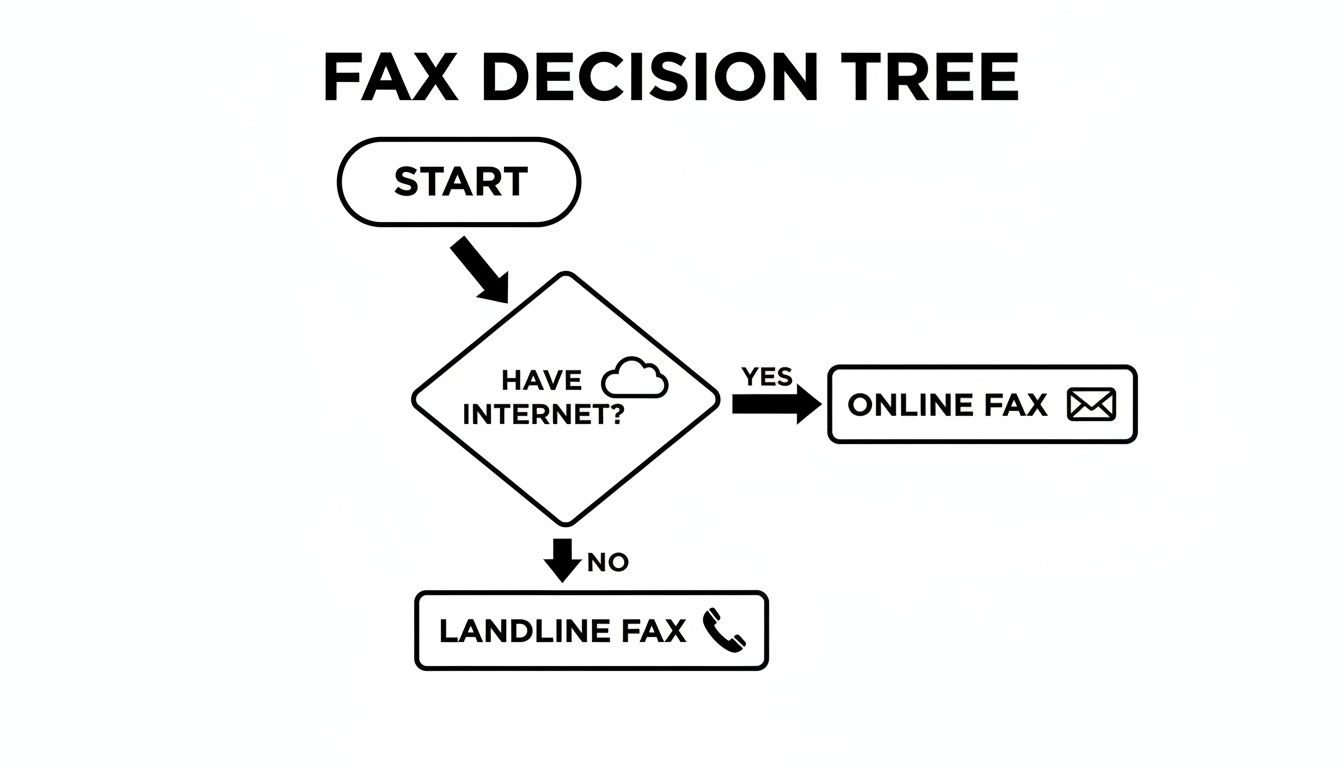
As you can see, as long as you have an internet connection, you have a clear path away from that old, clunky fax machine.
Comparing Your Main Options
So, let's get into the nitty-gritty of your three main options for faxing without a landline. Each has its own strengths, and one will likely feel like a more natural fit for you.
- Dedicated Online Fax Services: Think of these as your command center for faxing. You log in through your web browser to a full platform. They typically give you a dedicated fax number, serious security features, and handy integrations with cloud storage like Google Drive or Dropbox. This is the go-to for businesses that fax regularly and need robust, reliable service.
- Mobile Faxing Apps: Built for pure convenience, these apps effectively turn your smartphone into a scanner and fax machine. They're perfect for individuals or professionals who just need to send a fax here and there, especially when they're away from the office. Most work on a pay-per-fax basis or a small subscription.
- Email-to-Fax Systems: This is a brilliantly simple method that hooks right into your existing email. You just type up an email, attach your document, and send it to a specially formatted address that includes the recipient’s fax number (like
[email protected]). It's a fantastic choice if you practically live in your inbox and don't want to juggle another login or platform.
The best tool is always the one that slots into your workflow without causing friction. If you're an email power user, email-to-fax is a no-brainer. Always on your phone? A mobile app is your best friend.
Factors to Guide Your Decision
As you weigh the options, keep these key points in mind. They’ll help you pick a service that not only works for you today but can also grow with you. For a much more detailed breakdown of specific providers, check out our online fax services comparison.
| Feature | Best For… | Key Consideration |
|---|---|---|
| Cost Structure | Occasional users vs. high-volume businesses | Pay-per-fax models are great for sending a few pages a year. Monthly plans offer much better value if you're faxing regularly. |
| Security Needs | Legal, healthcare, and financial industries | Look for services that explicitly mention end-to-end encryption and compliance with regulations like HIPAA. |
| Ease of Use | Users who want simplicity and speed | Mobile apps and email-to-fax are usually the easiest to pick up and use immediately, with almost no learning curve. |
| Integrations | Businesses using cloud storage & other tools | Does it connect to the tools you already rely on? Check for compatibility with Google Workspace, Microsoft 365, Dropbox, etc. |
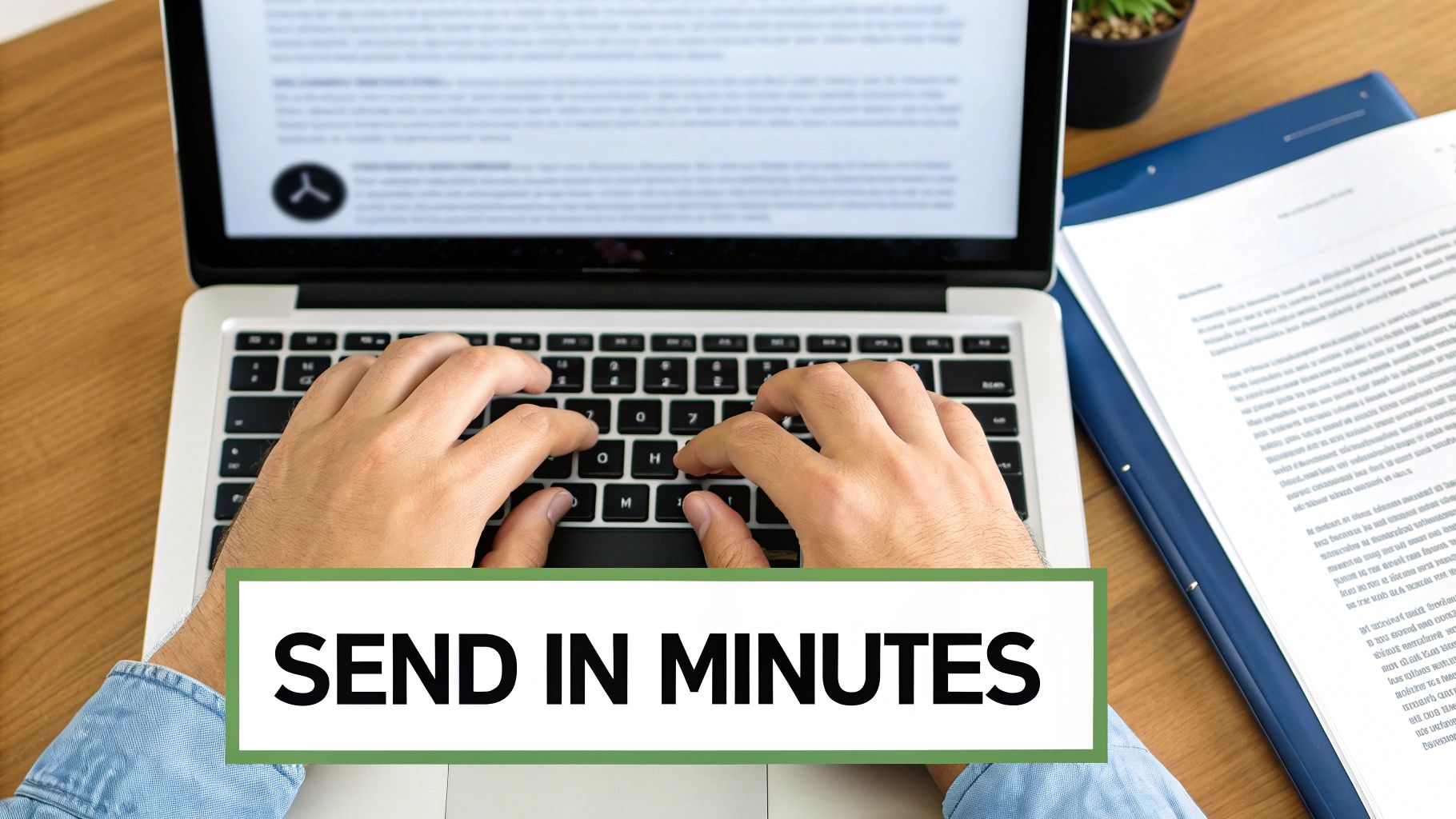
Sending Your First Online Fax in Minutes
Jumping into online faxing is way easier than wrestling with old hardware. Let's walk through a real-world example to show you just how fast it can be.
Imagine you need to get a signed rental agreement over to a property manager, like, right now. The signed PDF is sitting on your desktop, and you need it delivered securely in the next five minutes. No problem.
With an online fax service like SendItFax, this is surprisingly painless. You just pull up the website and get started. There's no software to install or a confusing manual to decipher; the whole thing is set up to feel as familiar as sending an email.
From Document to Delivery Confirmation
First things first, you need to upload your document. You’ll see a clear button to "Upload File" where you can select the rental agreement PDF from your computer. Most services are flexible and accept common file types like DOCX and even JPGs, so you don't have to stress about converting anything.
Pro Tip: I always recommend using a PDF when possible. It locks in the formatting, so you know what you send is exactly what they'll see on their end—no weird line breaks or font issues.
Next, you'll fill in the recipient's details, just like addressing an envelope. Pop the property manager's fax number into the field. Make sure to double-check this number! A single wrong digit is the number one reason faxes fail to send. Then, you’ll add your own name and email so the service can send you the confirmation receipt.
This is the magic of faxing without a landline. The service is basically a digital translator, taking your uploaded file and web form details and converting them into a standard fax transmission that any traditional fax machine can understand.
Many platforms, including SendItFax, also let you add a simple cover page. This is incredibly useful for adding context. For that rental agreement, you could write a quick note like, "Attached: Signed lease for Unit 4B. Please confirm receipt. – Jane Doe." It’s a small touch that prevents any confusion.
Once you give everything a final look, just hit "Send." The service handles all the technical stuff—dialing the number and transmitting your document. You'll usually see a progress screen, and in just a few minutes, a confirmation email will hit your inbox. That email is your proof of delivery, detailing the time, date, and transmission status. For a more detailed walkthrough, you can check out our guide on how to send a fax online.
The Shift to Digital Faxing
This incredible ease of use is a huge part of why the online fax market has exploded. It was recently valued at over $2.5 billion and is projected to keep growing through 2029. This boom is a direct result of people and businesses ditching their landlines in favor of more flexible, internet-based communication tools. You can explore a full report on these market trends at Global Market Monitor for a deeper dive.
Receiving faxes is just as simple. When someone sends a fax to your dedicated online number, it doesn't print out on a clunky machine. Instead, the service converts it into a PDF and delivers it straight to your email inbox as an attachment. This means you can get, review, and save important documents from anywhere, on any device, without ever needing to touch a piece of paper.
Keeping Your Digital Faxes Secure and Private
When people think "fax," security might not be the first thing that comes to mind. But for industries like healthcare, finance, and law, it’s the very reason this technology has stuck around. The good news is that when you switch to faxing without a landline, you don't lose that security—in fact, you often gain a whole lot more.
A standard email can be easily intercepted or misaddressed, but a secure online fax service creates a protected, point-to-point connection for your documents. It’s less like sending a postcard and more like using a digital armored car.
Take healthcare, for instance. A staggering 75% of all medical communication around the globe still happens via fax. In the United States, that translated to over 9 billion faxes in a single year, largely because of strict privacy laws like HIPAA. The future of this market is clearly in the cloud, as explained in this article on the future of cloud faxing at Documo.com.
Key Security Features to Look For
Not all online fax services are built the same. When you're handling sensitive information, it pays to know what’s happening behind the scenes. Here are the non-negotiable security features to look for.
- End-to-End Encryption: Your document should be unreadable from the moment you send it until it’s delivered. Look for services that use TLS (Transport Layer Security) encryption—the same technology that secures your online banking.
- Detailed Audit Trails: A clear digital paper trail is essential. Reputable services give you detailed confirmation reports with timestamps, recipient numbers, and delivery status, which can serve as legal proof of transmission.
- Secure Cloud Storage: Where are your faxes stored? The best providers have SOC 2 (Service Organization Control 2) compliance, meaning they’ve passed tough third-party audits on their data security controls.
The real advantage of a quality online fax service is verifiable security. It turns a simple transmission into a documented, encrypted, and compliant event, giving you peace of mind when sending confidential client or patient files.
Meeting Strict Compliance Standards
For many businesses, following industry regulations isn't a choice. A single data breach can result in massive fines and destroy client trust. This is where a compliant online fax service becomes an essential part of your toolkit.
Healthcare providers, for example, must comply with the Health Insurance Portability and Accountability Act (HIPAA). A truly HIPAA-compliant fax provider will sign a Business Associate Agreement (BAA), which is a legal commitment to protect patient information according to federal law.
Many professionals wonder whether to use fax or email for secure documents. For regulated industries, the choice is pretty clear. We explored this topic in detail in our breakdown of whether fax is more secure than email.
Ultimately, choosing a provider that builds its service around these security protocols means you're not just sending a file—you're protecting your business, your reputation, and your clients.
Working Through Common Digital Faxing Problems
Even with the best online tools, sending a digital fax can occasionally hit a bump in the road. Getting that "fax failed" notification is always a pain, but the fix is usually something simple. When you're faxing without a landline, most headaches come down to just a handful of common, easy-to-fix issues.
More often than not, the culprit is a simple typo in the recipient's information. A single wrong digit in the fax number guarantees an immediate failure. It sounds almost too basic to mention, but you'd be surprised how many transmission errors are caused by just that. Always double-check every digit, including the area code, before you send.
Another frequent problem is a low-quality document. If you're scanning a physical paper to create your file, look out for blurriness, dark shadows, or text that's hard to read. A traditional fax machine on the other end might see a blurry scan as a transmission error. A clean, high-resolution scan is your best bet for a successful send.
When Your Fax Just Won’t Send
So, you’ve confirmed the number is correct and your document looks sharp, but it's still not going through. The issue might not be on your end at all. The recipient's machine could simply be busy on another call, turned off, or out of paper. Most online fax services are smart enough to automatically try resending it a few times.
If repeated attempts fail, here are a few other things to check:
- Look at the File Size: Many services have a limit on how large a file can be. If you’re sending a massive, high-res PDF, try compressing it. Scanning at a lower resolution like 200 DPI is usually perfectly fine for most documents and creates a much smaller file.
- Check Your Internet: Is your own internet connection stable? If it drops out while the fax is being sent, the transmission will fail.
- Call the Recipient: It might feel old-school, but a quick phone call is the fastest way to confirm their machine is on and ready to receive.
A "delivery failed" error isn't always a sign of a problem with your setup. The classic busy signal is still a thing, even in the digital age. A little patience goes a long way, as most platforms will automatically retry for you.
"I Never Got It": Handling Receipt Denials
What happens when you get a delivery confirmation, but the person on the other end swears they never received your fax? This is a common scenario, especially in busy offices where a printed fax can easily get lost in a stack of papers.
Your delivery confirmation report is your proof of transmission. It includes a precise timestamp and other data showing that the fax was successfully delivered to the receiving machine. The best approach is to politely share this confirmation with the recipient and ask them to check their machine's print tray or ask around the office.
Services like SendItFax are built to make this process as smooth as possible, with clean interfaces that help prevent user error from the start. In the end, troubleshooting a digital fax is just a matter of checking your work methodically—from the number you typed to the quality of the file you sent.
Common Questions About Faxing Without a Landline
Moving on from a technology that's been a business staple for decades naturally brings up a few questions. When you're used to the familiar hum of a fax machine, switching to a digital method can feel like a big leap.
Let's clear up some of the most common uncertainties about ditching the landline so you can feel confident making the change.
Are Faxes Sent Online Still Legally Binding?
Yes, absolutely. Faxes sent through a reputable online service are just as legally binding as those sent from a traditional machine. In many ways, they're even better from a legal standpoint.
Modern fax services create detailed confirmation pages and audit trails that serve as solid proof of transmission and receipt. These digital records capture exact timestamps and all the sender and receiver info, making them incredibly reliable for contracts, official forms, and legal notices.
Can I Keep My Existing Fax Number?
For most businesses, this is a huge relief: yes, you can. If you have an established fax number that clients and partners have been using for years, you don’t have to give it up. The process is called "porting," and it's just like moving your cell phone number to a new carrier.
Most major online fax providers will handle the porting process for you. It can take a few days or a couple of weeks, but once it's done, the transition is seamless. All faxes sent to your old number will land right in your email inbox, so you won't miss a thing.
Being able to port your number is a game-changer. It means you don't have to reprint business cards, update your website, or notify every client—making the switch to landline-free faxing completely invisible to the people you work with.
Do I Need Any Special Software or Hardware?
Nope, and that's one of the biggest perks. The days of dedicating a corner of your office to a clunky machine are long gone. All you really need is a device with an internet connection.
That could be your:
- Computer (desktop or laptop)
- Tablet
- Smartphone
There’s no hardware to buy or complicated software to install. You just log in to your online fax service through their website or open their mobile app. You can send documents you already have saved, or even snap a picture of a physical paper with your phone's camera and fax it on the spot.
How Much Does It Cost to Fax Without a Landline?
It’s almost always cheaper than the old-school way. When you factor in the cost of a dedicated phone line, paper, ink, and inevitable machine maintenance, the savings from going digital add up fast. Most online fax services are subscription-based.
Plans for personal or light use often start around $5 to $10 per month, which typically gets you a generous number of pages to send and receive. For businesses with higher volume, plans might range from $20 to $50 per month for thousands of pages and features like multi-user access. When you compare that to the hundreds you could spend on a traditional setup each year, the choice is pretty clear.
Ready to send a fax in minutes without the hassle of a landline or creating an account? With SendItFax, you can upload your document and send it securely right from your browser. Try SendItFax for your next fax today.
Related Posts
Fax Cover Sheet to IRS: How to Send It Right
MS Office Fax Cover Sheet Template: Create and Customize