How to Send a Fax from Computer for Free a Practical Guide
Yes, you absolutely can fax from a computer for free. In fact, it’s a lot easier than you might think. Several web-based services act as a digital bridge, taking your document and zapping it over to a traditional fax machine on the other end. No special hardware, no dedicated phone line, and no clunky software required.
Why Computer Faxing Is Still a Big Deal
You might be wondering why anyone still bothers with faxing. It seems like a technology from a bygone era, right? But for some of the most critical industries—think healthcare, law, and government—faxing isn't just an old habit. It’s often a strict requirement.
The reason it has stuck around is surprisingly simple: security and legal standing. A fax transmission is a direct, point-to-point delivery, creating a verifiable record that a document was sent and received. This makes it a legally recognized form of communication for things like medical records or legal contracts.
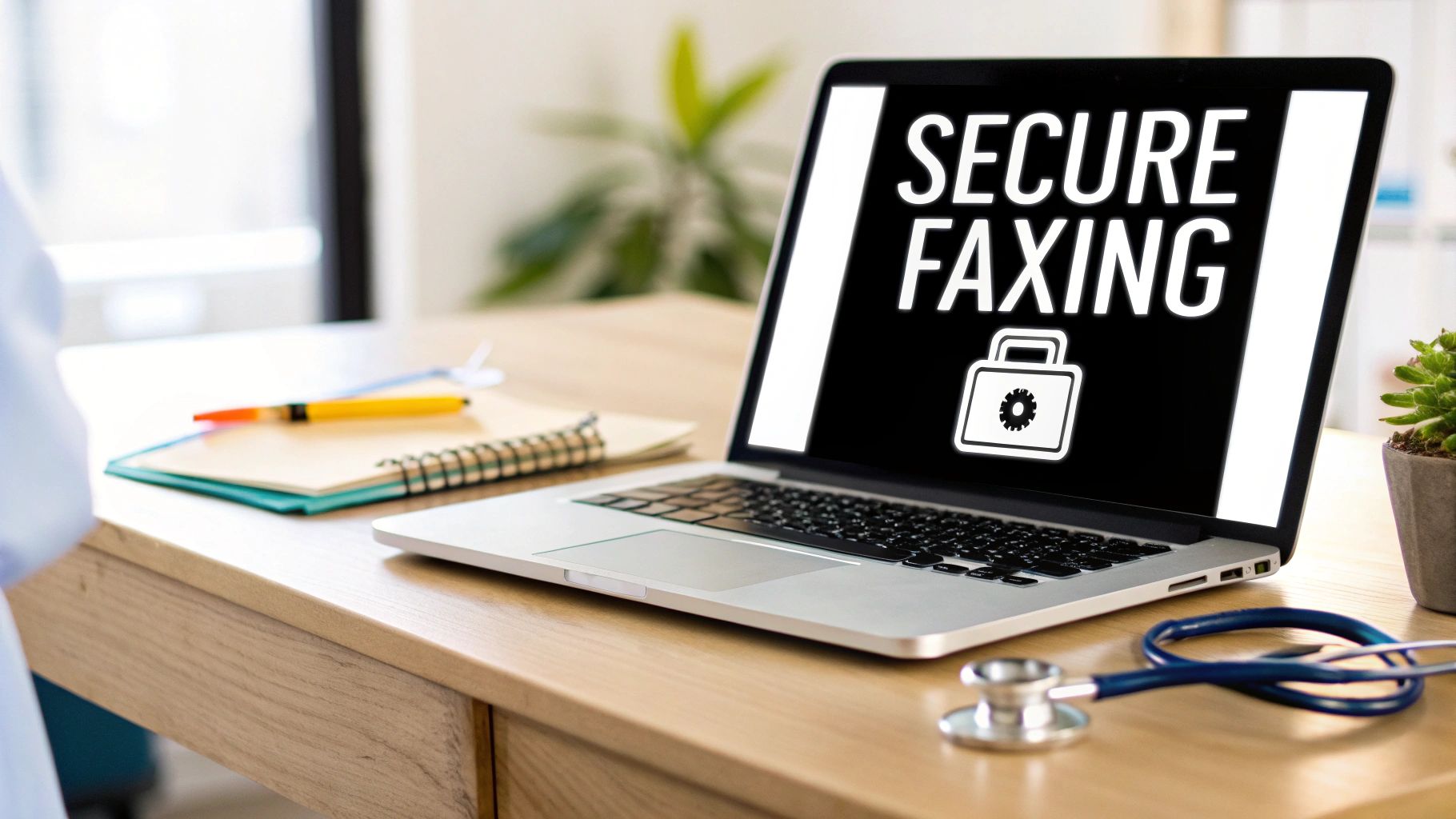
That's precisely why learning how to fax from a computer for free is such a game-changer. You get the best of both worlds: the trusted, secure nature of a traditional fax combined with the sheer convenience of modern technology. Instead of being chained to a desk with a bulky machine that’s always out of paper or ink, you can send crucial documents from your laptop, wherever you happen to be.
The Modern Advantage of Digital Fax
Let's be clear, switching to online faxing isn't just about convenience. It’s a smart move for your wallet and your workflow. When you ditch the physical hardware, you’re also saying goodbye to all the hidden costs—maintenance, dedicated phone lines, paper, and pricey toner cartridges.
When you weigh the old against the new, the benefits of faxing from your computer become obvious.
Traditional Fax Machine vs Free Computer Faxing
| Feature | Traditional Fax Machine | Free Computer Fax Service |
|---|---|---|
| Hardware | Requires a physical machine, phone line | None needed—just a computer & internet |
| Supplies | Constant need for paper, ink, toner | Completely paperless |
| Cost | Machine purchase, line rental, supply costs | Free for occasional use, low monthly fees for more |
| Location | Tied to a physical location | Send from anywhere in the world |
| Confirmation | Prints a confirmation sheet (if it works) | Digital confirmation sent to your email |
As you can see, the shift to digital is a significant upgrade.
This move to online services brings some serious perks:
- Total Accessibility: Need to send a time-sensitive contract? You can do it from home, a coffee shop, or your hotel room. No more hunting for a FedEx or a local print shop.
- Real Cost Savings: For those one-off faxes, a free service is perfect. You avoid the per-page fees that can quickly add up, which often range from $0.10 to $0.50 per page with traditional methods.
- Tighter Security: Good online fax providers use encryption to scramble your data as it travels, adding a layer of security you don’t get from a document sitting on a public fax machine tray.
- Eco-Friendly: Going paperless means you’re saving trees and keeping toner cartridges out of landfills. It's a small change with a real environmental impact.
Don't just take my word for it. The global market for fax services, including platforms that let you fax from a computer for free, was valued at a staggering USD 3.31 billion in 2024.
This isn't a niche market; it's a direct response to a persistent business need. You can dive deeper into the fax service market analysis to see just how relevant this technology remains. For small businesses and freelancers, the savings are tangible, often running into thousands per year. This isn't about replacing email—it's about having a modern tool for a communication standard that, for better or worse, is here to stay.
How to Choose the Right Free Fax Service
Let's be honest, navigating the world of "free" online fax services can feel like walking through a minefield of hidden limitations and surprise paywalls. The word "free" is a powerful magnet, but not all services are created equal. Picking the right one is the key to getting your document sent without frustration, unexpected costs, or privacy headaches.
Before you even think about uploading a file, the first thing you need to hunt down is the page limit. This is the biggest catch with any service that lets you fax from a computer for free. Most providers cap how many pages you can send in one go, per day, or over a month. For a quick, one-page invoice, you're golden. But for a 15-page contract? You could hit a wall fast.
The reality is that free services are designed for occasional, low-volume users. They offer a taste of convenience, hoping you'll upgrade if you need more. Always find the fine print on page limits before you start—it'll save you from a nasty surprise when you're on a deadline.
Digging Into the Details
Once you've confirmed the page count works for you, file compatibility is your next checkpoint. The best services are flexible, but you can't assume they'll take any file you throw at them.
Here's what to look for:
- PDF: This is the gold standard. It's universally accepted and the safest bet for making sure your document's formatting doesn't get messed up.
- Microsoft Word (DOC, DOCX): A lot of platforms handle Word files just fine, which is a huge time-saver if you don't want to convert your document first.
- Image Files (JPG, PNG): Need to send a scanned receipt or a photo of a signature? Make sure the service explicitly supports common image formats.
The overall experience matters, too. Some services make you jump through hoops, forcing you to create an account just to send a single fax. That usually means verifying your email and opting into their marketing list. Others, like SendItFax, get straight to the point, letting you send a document without any sign-up required. It’s perfect for those one-off, hassle-free tasks.
Here’s a quick visual of how online faxing works behind the scenes. It helps to understand how a web service can talk to an old-school fax machine.
This diagram shows your digital file being converted and sent over traditional phone lines to its destination, with the online provider acting as the middleman.
To make this easier, I've put together a quick comparison of some popular options so you can see the trade-offs at a glance.
Feature Comparison of Popular Free Fax Services
| Service Name | Free Pages per Day/Month | Account Required? | Includes Cover Page? | Supported File Types |
|---|---|---|---|---|
| SendItFax | 5 pages/day | No | Yes | PDF, DOC, DOCX, JPG, PNG |
| FaxZero | 5 faxes/day (3 pages each) | No | Yes (with ads) | PDF, DOC, DOCX |
| GotFreeFax | 2 faxes/day (3 pages each) | No | Yes (optional) | PDF, DOC, DOCX, RTF |
| Fax.Plus | 10 pages total (one-time) | Yes | Yes | PDF, DOC, JPG, PNG, TIFF |
This table highlights the most common limitations you'll encounter. For a simple, one-time send, a service without an account requirement is usually the fastest path.
Security and the Fine Print
Finally, and this is the big one, you have to think about privacy. When you upload a document, you're putting your trust in that company. A reputable provider will be transparent about how they handle your data. Look for any mention of encryption (like SSL/TLS) on their site—that's the technology that scrambles your data to keep it safe on its journey.
Taking a minute to skim the privacy policy is always a good move, especially if you're faxing sensitive information like financial or medical records. You want to be sure your files aren't being sold or stored forever. For a much deeper dive into this, you can check out this comprehensive online fax services comparison that weighs the good and the bad of different providers. A little research upfront can save you from a major headache down the road.
Sending Your First Fax from Your Computer
Alright, you've picked out a free service. Now for the easy part: actually sending the fax. The good news is this is a lot less frustrating than wrangling with an old-school fax machine. You can get this done in just a couple of minutes.
Let's get your document sent with zero guesswork.
Getting Your Document Ready to Go
Before you even open a web browser, take a moment to prep your file. This single step will save you a world of headaches later.
When it comes to online faxing, PDF is the undisputed champion. Why? Because it locks in all your formatting. What you see on your screen is exactly what prints out on the other end, with no weird line breaks or missing fonts.
Most programs you use every day, like Microsoft Word or Google Docs, have a built-in "Save as PDF" or "Print to PDF" option. Just use that. If you're trying to fax a picture (like a JPG or PNG), a quick search for a free online PDF converter will do the trick.
This simple diagram lays out the key things to keep in mind before you click send.
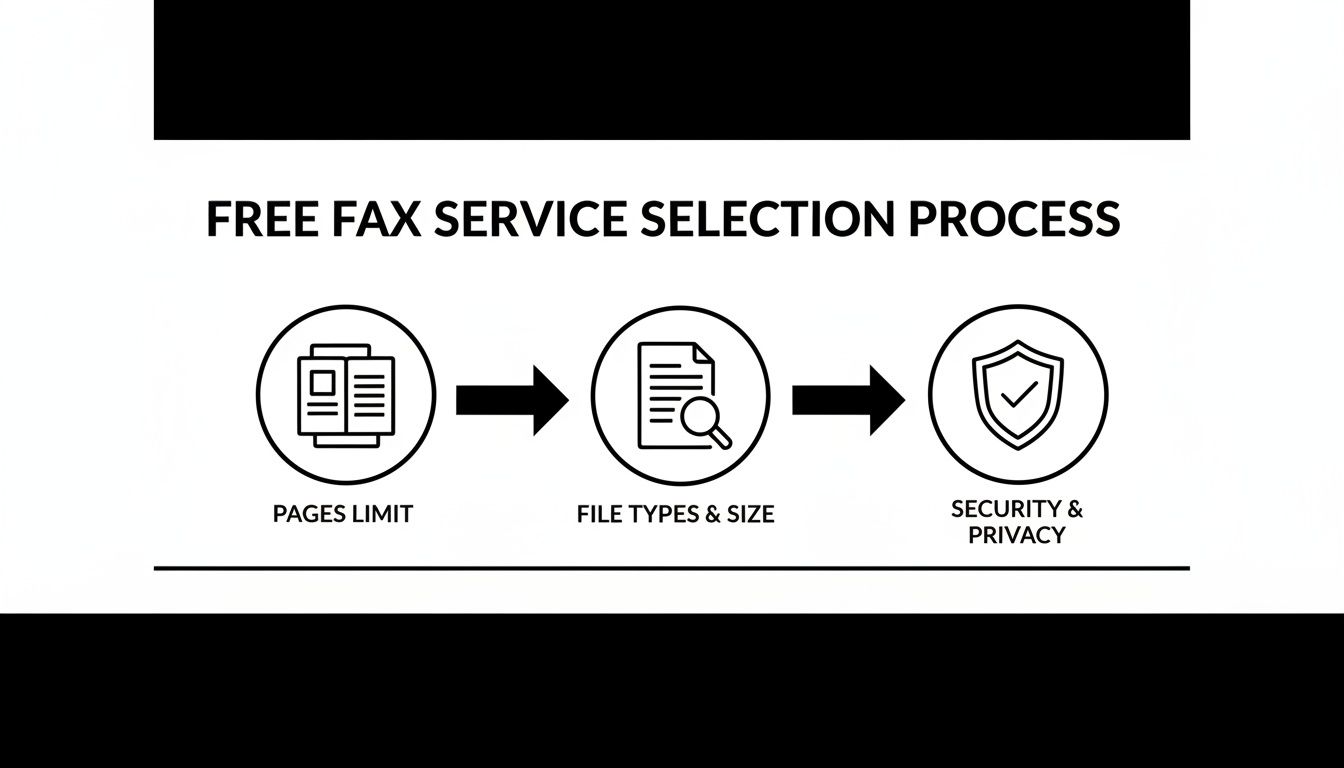
Think of it as a pre-flight checklist: check your page count, make sure your file is a PDF, and stick with a secure service.
Using the Online Fax Service
With your PDF ready, head over to the website of the free service you chose. You'll find the interface looks a lot like sending a basic email—no complicated menus or confusing settings.
You'll typically see a simple form asking for:
- Your Details: Your name and email address. The email is non-negotiable, as this is how you'll get the confirmation that your fax was delivered successfully.
- Their Details: The recipient's name and their full fax number. Don't forget the area code!
- Your File: An "Upload," "Attach File," or "Choose File" button. Click it, find the PDF you just saved, and select it.
My Pro Tip: The most common mistake I see is a simple typo in the fax number. Seriously, double-check it. Then check it again. One wrong digit and your fax goes nowhere. If you're sending internationally, make sure you've got the country code right, too.
Adding a Digital Cover Page
Nearly every free service will automatically create a cover page for you. This is your fax's version of an envelope, telling the recipient who it's from and why you sent it.
Don't skip this part! Filling out the cover page looks professional and prevents your document from getting lost on a shared office machine. Just add your name, contact info, the recipient's name, the date, and a clear subject line like, "Signed Agreement – Invoice #54321".
Once everything is filled out and your file is attached, hit the big "Send Fax" button. The service handles the rest, and you'll get a confirmation receipt in your email inbox, which is your proof of transmission.
The whole ecosystem of sending a fax from a computer for free is surprisingly massive. This isn't some niche technology; the global online fax market was valued at a whopping USD 4.18 billion in 2024 and is expected to soar to USD 12.52 billion by 2031. That growth is largely fueled by industries like healthcare and legal services that rely on faxing for its security. You can read more about the online fax market's growth if you're curious.
Mastering Page Limits, Cover Pages, and Confirmations
So you've figured out the basics of sending a fax from your computer. Great. But successfully sending a document is one thing; mastering the little details is what separates a smooth experience from a frustrating one. Let's break down the three things that often trip people up: page limits, cover pages, and delivery confirmations.
The Hard Truth About Free Page Limits
The biggest "gotcha" when you fax from computer for free is almost always the page limit. These aren't just friendly suggestions—they're hard caps that dictate what you can actually send.
Most free fax websites set a daily limit, which is often around five pages. Some might give you a one-time "bucket" of free pages that disappear once used, while others have a small monthly allowance. Before you even think about uploading your file, hunt down this number. It’s the single most important piece of information on the entire site.
Why Your Cover Page Is Non-Negotiable
After you’ve got the page limit sorted, the next detail to focus on is the cover page. Many free services include one automatically, and you should always take advantage of it. Think of it as the professional handshake before your document even gets read. It's what keeps your important papers from getting lost in the shuffle on a shared office machine.
A solid cover page needs to clearly state:
- To: The recipient’s full name and department, if you know it.
- From: Your name and a way to reach you (email or phone).
- Subject: A quick, clear description like "Signed Rental Application" or "Invoice #7891."
- Pages: The total page count, including the cover sheet itself.
This simple step adds a layer of professionalism and makes it much easier for your document to find its way to the right person. Some services, like SendItFax, even let you customize the message, which is perfect for adding specific instructions or a personal note.
"Sent" vs. "Delivered": The Confirmation That Actually Matters
Finally, we need to talk about the most crucial piece of the puzzle: the confirmation. Hitting "send" doesn't mean your job is done. You need proof that your fax actually arrived, and it's important to understand that not all confirmations are the same.
You'll almost always get an email, but you have to read it carefully. A "sent" notification just means the service successfully transmitted your data into the ether. What you're really looking for is a "delivery" confirmation. This is the one that verifies the machine on the other end actually received the transmission successfully.
This digital receipt is your modern-day equivalent of the old paper confirmation sheet. It’s your proof that the document arrived. Without it, you’re just hoping for the best.
The ability to fax from computer for free is part of a massive market valued at an impressive USD 4,177.5 million in 2024. This growth is fueled by its ability to slash hardware costs by 70-90% for people who only need to fax occasionally. You can dig into more data on the online fax market's rapid expansion to see just how big the shift has been.
If you find the free limits are holding you back, exploring a fax online free trial with a paid service can be a great next step. It often unlocks higher page counts and more business-focused features. Getting these details right from the start ensures every important document you send is professional, confirmed, and successfully delivered.
How to Troubleshoot Common Free Faxing Errors
It happens. You've followed all the steps, hit send, and then… nothing. Or worse, you get a "failed transmission" notification. When you fax from computer for free, a glitch can be a real headache, especially when a document is time-sensitive. But don't worry, most of these errors are surprisingly easy to sort out.
The classic culprit is a "busy signal" or "no answer" message. This isn't your fault at all. It just means the fax machine on the other end is already tied up or nobody's there to answer. The fix here is simple: just be patient.
Give it 10-15 minutes and try again. More often than not, the line will be free, and your fax will sail through on the second try.
Fixing File Format and Page Limit Issues
Another common snag is the dreaded "unsupported file format" error. Even if a service says it accepts DOCX or JPG files, those formats can sometimes get mangled during the conversion process, messing up your document's layout.
The surefire way to avoid this is to always convert your document to a PDF first. A PDF locks everything in place, so what you see on your screen is exactly what they’ll get on their end. It’s the gold standard for online faxing and just takes a quick "Save as PDF."
If you get a generic "transmission failed" message, run through this quick mental checklist before doing anything else:
- The Fax Number: This is the #1 reason faxes fail. Did you double-check every digit? Make sure you included the full area code and the country code (like "1" for the U.S. and Canada) if needed. A single wrong number is all it takes.
- The Page Count: Did you slip over the free service's page limit? Don't forget, most services count the cover page as one of your pages. If you're over the limit, the fax will simply be rejected.
Here's a pro tip for troubleshooting: try to isolate the problem. If you think it might be your file, send a single, blank page to the same fax number. If that goes through successfully, you know the recipient's line is fine and the issue is with your original document.
When the Problem Is on Their End
Sometimes, the issue is completely out of your hands. You've waited out a busy signal, you've confirmed the fax number is perfect, and your file is a clean PDF. At this point, the problem is almost certainly with the receiving machine.
It could be out of paper, turned off, or just having a technical tantrum.
If you can, it's worth reaching out to the recipient through another channel, like a quick phone call or email. Just a simple message like, "Hey, I've been trying to send you a fax, but it's not going through. Can you check your machine?" can save you a lot of time and frustration. It stops you from repeatedly sending a document into the void.
Have More Questions About Faxing From Your Computer?
Even after a walkthrough, it's natural to have a few questions pop up when you're about to fax from a computer for free. Let's dig into some of the most common ones I hear, so you can send your documents without any second-guessing.
Is It Really Free to Send a Fax from My Computer?
Yes, it really is—for light, occasional use. Most online fax services have a free tier that’s perfect for sending a signed contract or a one-off form. They’re designed for the person who doesn't need to fax every day.
The catch is usually in the limits. For instance, a free service might cap you at five faxes per day, with each fax being no more than three pages. If your needs go beyond that, or if you want premium features like a professional cover page without ads, that's when you'll be prompted to look at their paid plans.
Can I Receive Faxes for Free with These Services?
This is a big one, and the short answer is almost always no. Free online fax services are built as a one-way street: for sending documents out.
To actually receive a fax, you need a dedicated fax number that’s always online and ready for incoming files. This is a core feature of paid subscription plans. When you upgrade, the service gives you a unique number that acts as your digital fax line, allowing others to send documents directly to you.
Think of it this way: free services let you mail a letter. A paid plan gives you a permanent P.O. Box to receive mail back.
Are Free Online Fax Services Secure Enough for Sensitive Documents?
This is a critical question, and frankly, it depends on what you're sending. Most reputable services use standard SSL/TLS encryption to protect your files while they're in transit, which is fine for everyday documents like a signed permission slip.
However, if you're dealing with highly confidential information—think medical records governed by HIPAA or sensitive financial contracts—you need to be much more careful. Always read the privacy policy to see how they store your data after the fax is sent. Digging into reviews that examine if a service like FaxZero is safe can also give you a better picture. For peace of mind and guaranteed compliance, a paid, business-grade service is the only way to go.
Do I Need to Install Special Software?
Nope, not at all! One of the best things about modern online faxing is that it's completely browser-based. You don’t have to download a clunky program or install anything on your computer.
You handle everything right on the service's website. Just upload your file, enter the fax number, and hit send. The whole experience is designed to feel as simple as attaching a file to an email, which is why so many people now choose to fax from computer for free.
Ready to send your fax without the hassle of creating an account? SendItFax lets you send documents securely and quickly right from your browser. Try our simple, no-signup service today at https://senditfax.com
Related Posts
Fax to PDF: The Modern Guide to Digital Faxing in 2026
Resource Allocation Optimization: A Practical Guide