How to send fax without fax machine: fast, secure and easy
Yes, you absolutely can send a fax without a fax machine. Thanks to modern technology, you now have at least three fantastic options right at your fingertips: online fax services, email-to-fax systems, and even mobile apps on your phone.
These tools take your digital files and convert them into a format that any old-school fax machine can receive and print. It’s a game-changer, making the entire process quicker, more secure, and infinitely more convenient than dealing with a clunky machine.
Why Do We Still Fax, Anyway?
It’s a fair question. In a world of instant messaging and email, faxing can feel like a relic from another time. But for many industries, it’s still the gold standard for sending legally binding or highly sensitive documents.
Think about healthcare, law, and government agencies. For them, security and verifiable delivery aren't just nice-to-haves—they're requirements. Email, for all its convenience, can have security gaps. Faxing, particularly the digital kind, provides a secure, point-to-point connection that’s much harder to intercept. This is the key reason it has stuck around.
This image shows the three main ways you can send a fax without owning a machine.
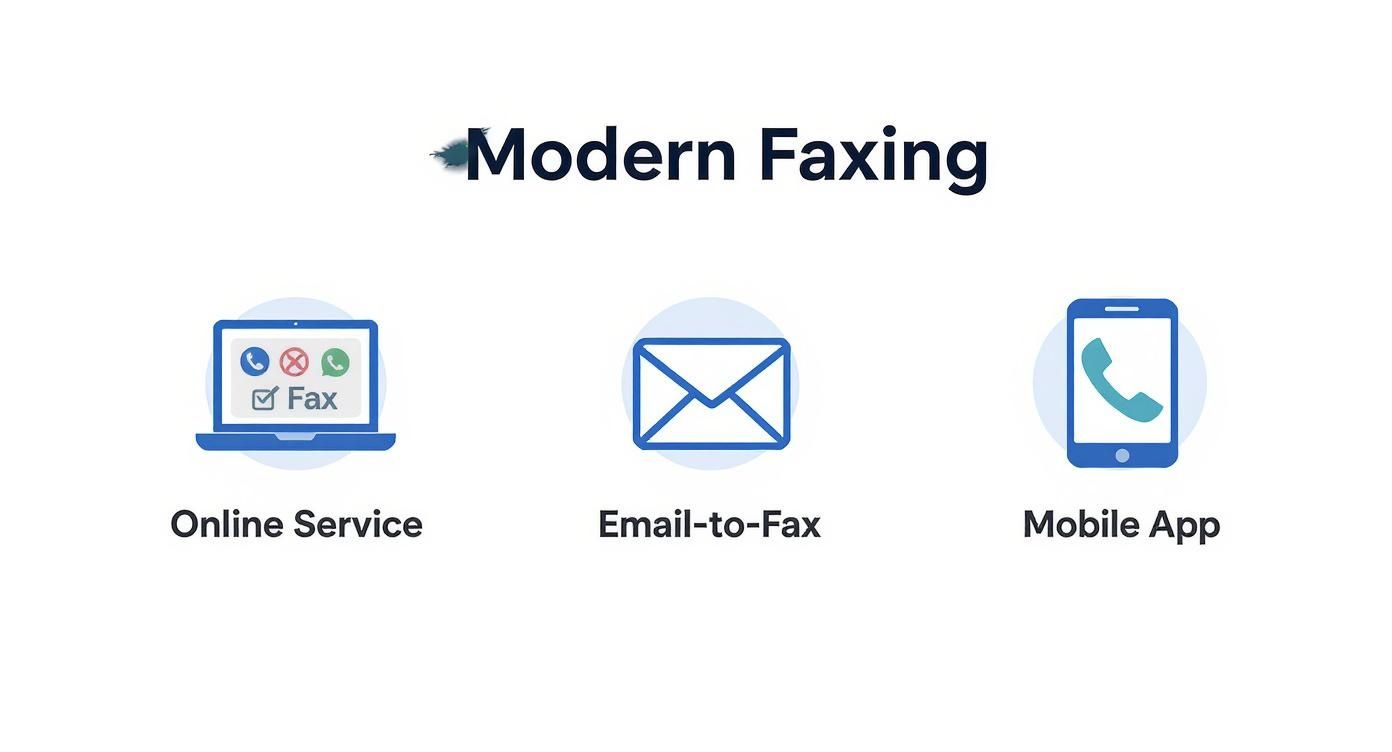
As you can see, whether you're on a computer, in your email inbox, or on your smartphone, there's a modern faxing solution ready to go.
A Quick Look at Modern Faxing Methods
Choosing the right method depends on what you need to send and how often you'll be faxing. Here’s a quick rundown to help you decide.
Modern Faxing Methods at a Glance
| Method | How It Works | Best For | Typical Cost |
|---|---|---|---|
| Online Fax Service | You upload a document to a website, enter the fax number, and click send. The service handles the conversion and transmission. | Anyone needing a simple, reliable way to send faxes occasionally or in high volume. Perfect for businesses. | Free trials available; monthly plans from $5-$25. |
| Email-to-Fax | You attach your document to an email and send it to a special address (e.g., [email protected]). |
Quick, one-off faxes when you're already in your email client. Great for sending documents directly from your computer. | Often included with online fax service subscriptions. |
| Mobile Fax App | Use your phone's camera to scan a physical document, then send it through the app. | Faxing on the go, especially when you need to send a signed paper document and don't have a scanner. | Pay-per-fax (e.g., $0.99) or subscription-based. |
Each of these methods bridges the gap between digital convenience and the enduring need for fax technology, offering a solution for just about any scenario.
Faxing's Surprising Resilience
You’d be surprised how many businesses still lean on this technology. A recent study found that 17% of businesses worldwide still consider faxing a critical part of their operations. This isn't just inertia; it’s a deliberate choice based on security and legal standing.
This is especially true in healthcare and legal fields, where the integrity of a document is everything. As you can learn in this Business.com article about business faxing, this continued reliance has paved the way for the cloud-based services that now let anyone send a fax from anywhere.
How to Use an Online Fax Service (The Easiest Method)
For most people trying to send a fax without an actual machine, online fax services are, hands down, the best way to go. Think of it as merging the ease of email with the official, secure nature of a traditional fax. It’s incredibly straightforward and comes loaded with features that make it a far better choice for just about anyone, from individuals to large businesses.

Let’s paint a picture. You’re a freelancer, and you just landed a new client. They need the signed contract back now to get the project started. Instead of frantically Googling "fax service near me" and running out to a print shop, you can use a service like SendItFax right from your laptop. The whole thing is done in minutes.
A Quick Look at How It Works
Getting started is as simple as visiting the service’s website. You don't need to download special software or plug anything in. From there, it's a pretty intuitive process:
- Upload Your Document: You can grab a file straight from your computer or, even better, link your cloud storage. This lets you pull documents directly from places like Google Drive, Dropbox, or OneDrive.
- Plug in the Details: Type in the recipient's fax number and your own info. This is also where you’ll create a quick digital cover sheet—just add a subject and a short message.
- Hit Send: That's it. The service does the heavy lifting, converting your file into a fax-friendly format and sending it over the phone lines to the recipient's machine.
This isn't just a clever workaround; it's a massive industry. The global market for fax services was valued at USD 3.46 billion in 2023 and is on track to nearly double by 2029. It's all driven by the sheer efficiency of cloud-based faxing. You can read more about the growth of the fax services market to see where the technology is heading.
The Advantages You Actually Care About
Beyond just sending a file, these platforms offer powerful tools that old-school machines just can't compete with. These benefits are a huge part of why so many people are ditching the hardware.
One of the most valuable perks is the delivery confirmation. The moment your fax lands successfully, you get an email receipt. This isn't just a notification; it’s your proof of transmission, complete with the time, date, and recipient. For important things like legal contracts or medical records, this is non-negotiable.
You also get a bunch of other genuinely useful tools:
- Fax Scheduling: Need a document to arrive first thing Monday morning? Schedule it over the weekend and forget about it.
- Digital Archives: Most services keep a secure online log of everything you've sent. It's like having a perfectly organized, paperless filing cabinet.
- Better Security: Good services use encryption to protect your documents in transit. That's a lot safer than a sensitive fax sitting out in the open on a shared office machine.
With so many providers out there, picking one can be a little overwhelming. We put together a detailed online fax services comparison that breaks down how different platforms compare on features, security, and price. It’ll help you find the right fit, whether you send one fax a year or hundreds every month.
Sending a Fax Directly From Your Email
What if you could send a fax without a fax machine using a tool you already have open all day? That's the beauty of email-to-fax. It's an incredibly practical feature that most top-tier online fax services, including SendItFax, build right into their platforms. It effectively turns your go-to email client—whether it's Outlook, Gmail, or something else—into a full-fledged faxing machine.

The real advantage here is how smoothly it fits into your daily routine. You don't have to stop what you're doing to log into a separate website or open another app. It’s a direct, no-fuss way to get documents where they need to go.
How to Format Your Email for Faxing
The secret sauce for email-to-fax is all in the "To" field of your email. Instead of a typical email address, you'll use a special format that combines the recipient's fax number with your service provider's domain.
Here’s how it works:
- The Recipient's Address: You simply type the 10-digit fax number (including area code) followed by the "@" symbol and your fax service's domain. For a fax number like
1-800-555-1234, the address might look like [email protected]. - The Fax Document: Any file you attach—PDFs, Word docs, JPEGs—gets converted automatically into the pages of the fax. This is what the recipient will see coming out of their machine.
- The Cover Page: This is the clever part. The system generates a professional cover page using the details from your email itself. Your email's subject line becomes the subject of the fax, and whatever you write in the body of the email becomes the memo.
Once you hit "Send," the service takes care of all the technical heavy lifting, converting your email into a fax signal and dialing the machine on the other end. You'll get a confirmation email back in your inbox once it's delivered, just like you would if you sent it through a web portal.
This method is about more than just convenience; it's about workflow integration. For professionals who handle documents all day, being able to send a secure fax directly from Outlook or Gmail saves valuable time and reduces administrative friction.
A Practical Scenario for Email-to-Fax
Let’s say you're a remote employee who needs to send signed expense reports to the accounting department. They're old-school and still rely on a central fax machine for their records. The old way would involve printing, signing, scanning, and then uploading the file to a fax website.
With email-to-fax, the process is much simpler.
You'd just open a new email from the address linked to your fax account and:
- Attach the signed expense report PDF.
- In the "To" field, type accounting's fax number, like
[email protected]. - Make the subject line something clear, like "Expense Report – [Your Name] – [Date]".
- Add a quick note in the email body if you need to.
That's it. Click send, and the document is securely delivered to the accounting office's fax machine, fronted by a perfectly formatted cover page. It feels exactly like sending a regular email.
To dig deeper into this handy feature, check out our complete guide on how to fax via email.
How to Fax From Your Phone Using Mobile Apps
Your smartphone is probably the handiest tool you have for sending a fax without a fax machine, especially when you aren't near a computer. With dedicated mobile faxing apps for both iOS and Android, your phone essentially becomes a pocket-sized scanner and fax transmitter. It’s perfect for getting urgent documents out the door, no matter where you are.
Let’s say you’re on the road and a client needs a signed contract back right now. Instead of frantically looking for a print shop, you can just pull out your phone. A good fax app lets you snap a picture of the document, add your digital signature, and send it on its way in minutes. For anyone who travels or works remotely, that kind of convenience is a total game-changer.
Turning Your Phone into a Document Scanner
At the heart of any solid fax app is its ability to use your phone’s camera as a high-quality scanner. This is way more sophisticated than just taking a photo. The software is built to optimize the image so it looks crisp and professional when it comes through on the other end.
When you use an app like SendItFax Mobile, the whole process is surprisingly polished.
- Capturing the Document: The app’s camera interface guides you to get a clear, straight-on shot, often automatically detecting the paper's edges.
- Enhancing and Cropping: Once you’ve taken the picture, you can instantly crop out your messy desk, boost the contrast, and convert the image to black and white. This step is crucial for making sure the recipient gets a clean fax, not a shadowy, unreadable picture.
- Adding Signatures and Text: Most apps let you sign your name with your finger or a stylus and even type text directly onto the document. It’s a lifesaver for filling out forms in a pinch.
This whole workflow digitizes a physical document and gets it ready for sending. From there, modern internet fax services handle the heavy lifting, converting the file into an encoded data stream. Thanks to smart compression, a standard page can be transmitted in as little as 10-15 seconds at speeds up to 33,600 bits per second. If you're curious about the technical side, you can learn more about the technology behind digital faxing and how it all works so seamlessly.
Understanding App Pricing Models
Mobile fax apps usually come with a few different payment options, designed for everyone from the occasional user to the small business owner. It pays to think about how often you’ll be faxing before picking a plan.
Pro Tip: Before you sign up for a monthly plan, try a pay-per-fax option first. It’s a great, low-risk way to see if you like the app's interface and if the fax quality is up to your standards.
Here are the common pricing structures you’ll run into:
- Pay-Per-Fax: This is your best bet for those rare, one-off faxes. You simply pay a small fee for a single transmission or buy a small credit pack. It's perfect if you only send a fax once or twice a year.
- Monthly Subscriptions: If you find yourself sending documents regularly, a subscription almost always makes more financial sense. These plans typically give you a certain number of pages each month for one flat fee.
- Free Trials: Lots of services will let you send a few pages for free to try them out. It’s a smart way to test the waters before pulling out your credit card.
Choosing the Right Online Fax Service
With so many digital fax providers out there, picking the right one can feel a bit overwhelming. The secret is to cut through the marketing fluff and zero in on what really matters: how they charge, how they protect your data, and what features will genuinely make your life easier.
Getting this choice right from the start will save you a ton of hassle and money down the road. It's worth spending a few minutes comparing options rather than just grabbing the first one you see.
Matching Price to Your Usage
Online fax services aren't one-size-fits-all, especially when it comes to pricing. The first thing you need to figure out is your own faxing habits. Are you sending a critical document once a year, or are you faxing contracts every week?
- Pay-Per-Use Plans: If you just need to send a fax on a rare occasion—like for tax season or a one-off legal form—this is your best bet. You pay a small fee for each fax you send, with no monthly strings attached. It's simple and effective.
- Monthly Subscriptions: For small businesses, freelancers, or anyone who faxes regularly, a subscription is almost always the more economical route. These plans give you a certain number of pages each month for a flat rate, which is perfect for predictable usage.
A word of caution: while some services lure you in with super low prices, always check for hidden fees or tight page limits. The cheapest plan isn't always the best value if it doesn't fit how you work.
Prioritizing Security and Compliance
Let's be honest, you're probably not faxing your lunch order. You're sending sensitive information, so security can't be an afterthought. A trustworthy service will be upfront about how they keep your documents safe.
The absolute baseline is TLS encryption. This is the same technology that protects your online banking, and it scrambles your documents as they travel from your computer to their servers. Don't even consider a service that doesn't offer it.
If you work in healthcare, law, or finance, you have another layer to think about: HIPAA compliance. A service that's HIPAA-compliant follows strict federal rules for protecting sensitive patient information, ensuring you meet your legal obligations for privacy.
Comparing Key Service Features
Beyond the big-ticket items like price and security, it’s the little things that often separate a decent service from a great one. These are the quality-of-life features that streamline the whole process.
As you compare your options, keep an eye out for these game-changers:
- International Faxing: Need to send a document overseas? Make sure the service supports it and be clear on what it costs. International rates can vary wildly.
- Cloud Storage Integration: Being able to grab a file directly from Google Drive, Dropbox, or OneDrive is a huge time-saver. It cuts out the annoying step of downloading a file just to re-upload it a second later.
- Customer Support: When a critical fax fails at the last minute, you need help, and you need it fast. Check what kind of support they offer—live chat, email, or a phone number you can actually call.
Choosing wisely upfront saves you from switching services later. For a deep dive into how different providers compare on cost, check out our guide to finding the cheapest online fax service on the market.
Pro Tips for Secure and Successful Digital Faxing
Sending a fax without a machine is incredibly convenient, but a little prep work goes a long way. Getting your documents ready and knowing how to handle the occasional hiccup are key to making sure everything runs smoothly. These are the tips I've picked up over the years to ensure every fax lands perfectly.
Before you hit send, remember that the receiving fax machine is an old-school, low-resolution device. A clean, crisp digital file on your end is the only way to get a readable physical copy on theirs.
Get Your Documents Ready for a Flawless Send
The best way to guarantee a good result is to start with a high-quality file. While most online fax services are flexible with formats, some are definitely better than others for the job.
- PDF is the Gold Standard: If you're sending contracts, reports, or anything with multiple pages, convert them into a single PDF. This locks in the formatting and fonts, so what you see is exactly what they get.
- Handle DOCX and XLSX with Care: Word docs and Excel spreadsheets are usually fine, but complex layouts or custom fonts can sometimes get garbled during the conversion process. For anything critical, play it safe and save it as a PDF first.
- Optimize Your Images (JPG, PNG): Faxing a photo of a receipt or an ID? Make sure the image is sharp and has high contrast. I always recommend converting it to black and white before uploading—it gives you a preview of how it will likely look on paper.
A crucial thing to remember: fax machines only print in black and white. Gray backgrounds, subtle color changes, and light-colored text can turn into unreadable blobs. Always preview your document to catch these issues before you send it.
Don't Skip the Cover Page
A professional cover page is more than just a formality. It’s the first thing your recipient sees, and it ensures your fax gets to the right person without delay. It also provides a bit of privacy by keeping the first page of your document under wraps.
Make sure your cover page has all the essentials:
- Your Name and Company Name
- Your contact Phone Number and Fax Number (or email)
- The Recipient's Name and Company Name
- The Recipient's Fax Number
- The Date you're sending it
- The Total Number of Pages (including the cover page itself)
- A clear and concise Subject Line
This information is vital for routing and confirmation, preventing your important paperwork from getting lost on someone's desk.
How to Troubleshoot Common Faxing Problems
Even with modern digital services, you might get a "failed transmission" email. Don't worry—it’s usually an easy fix.
The most common culprit is a busy signal, meaning their machine was already tied up. The best move is to just wait 10-15 minutes and try sending it again.
Another frequent mistake is simply typing the fax number wrong. It happens to the best of us. Double-check every digit before you resend. If it fails a second time, it might be worth calling the recipient to confirm their machine is on, connected, and has paper. A quick check can save you a lot of frustration.
Got Questions About Digital Faxing? We've Got Answers
Switching from a clunky old machine to a new way of doing things always sparks a few questions. When you're ready to send a fax without a fax machine, you're really just stepping into a better, more modern workflow. It's smart to know what you're getting into.
Here are some of the most common things people ask, with straight answers to get you faxing with confidence.
Are Faxes Sent Online Legally Binding?
Yes, they absolutely are. When you use a trusted online fax service, the faxes you send carry the same legal weight as those sent from a traditional machine. Think of it this way: these services are built for business and legal use.
They provide a full digital paper trail, including detailed transmission logs, precise timestamps, and confirmation receipts. This evidence is rock-solid proof of delivery and is widely accepted in legal situations.
What about signatures? It's simple. Just add your digital signature to the document before you upload it. This makes it a perfectly valid and efficient way to handle contracts, official forms, and agreements.
Can I Receive Faxes This Way, Too?
You bet. This isn't just a one-way street. When you sign up for an online fax service, you get your own dedicated fax number.
When someone sends a fax to that number, the service does the heavy lifting, instantly converting the transmission into a digital file (usually a PDF). That file lands right in your email inbox. You can also log into your account dashboard or use the mobile app to see, download, and manage all your received faxes. It's like having a secure, paperless filing cabinet for your communications.
The Bottom Line: Digital faxing is a complete replacement for the physical machine. It handles both sending and receiving, bringing your entire fax workflow into the 21st century.
Do I Still Need a Phone Line?
Nope, not at all. And honestly, this is one of the best parts about making the switch. Online faxing works entirely over your internet connection—your Wi-Fi at home, the office network, or even your phone's data plan.
You just send your document from your computer or phone to the service's servers. From there, they handle the technical magic of sending it across the telephone network to the recipient's machine. This clever setup means no more paying for a dedicated phone line, no extra hardware, and no surprise phone bills.
How Can I Be Sure My Fax Actually Went Through?
Every legitimate online fax service gives you a detailed confirmation report for every single fax you send. It's your official receipt for the transmission, and it usually arrives in your email just moments after the fax is delivered.
This report will clearly state one of two things:
- Success! You'll see the exact time and date it was delivered, the recipient's number, and how many pages were sent.
- Transmission Failed. If it didn't go through, the report will tell you why—maybe the line was busy or the number was wrong. That way, you know exactly what happened and can try again.
Ready to see for yourself? With SendItFax, you can get your document uploaded and sent securely in just a few minutes. Give SendItFax a try now and discover how simple faxing can be.
Related Posts
What Is a Fax Cover Sheet and Why It Still Matters
Fax Number Lookup: How to Find and Verify Any Fax Number