How to Send a No Phone Line Fax From Any Device
It’s a question I hear all the time: can you really send a fax without a phone line? The answer is a resounding yes. Modern web-based fax services have completely changed the game, turning any computer or smartphone into a powerful, digital fax machine. You get all the benefits of faxing without any of the clunky hardware or dedicated landlines.
Why Bother Faxing in an Email World?
Let's be honest, in an age of instant messaging and email, faxing can feel a bit like a throwback. But for a surprising number of industries, it’s still the gold standard for sending documents securely. It’s not about being old-fashioned; it’s about a unique blend of reliability and modern convenience that email just can't match.
Think about it. We’ve all had an important email get stuck in a spam filter or a large PDF bounce back for no reason. Faxing sidesteps those issues entirely. In fact, a study revealed that roughly 17% of businesses around the world still rely on fax for critical operations. That number jumps even higher in sectors like healthcare, law, and finance, where security and proof of delivery are non-negotiable. You can dive deeper into why faxing is still relevant in 2025 over at Modern Diplomacy.
The Practical Perks of Faxing Online
So, what makes online faxing stick around when we have so many other options? The reasons are incredibly practical, especially if you handle sensitive information.
- Serious Security: Most online fax services encrypt your documents during transmission. That makes them a much safer bet than standard, unencrypted email for things like medical records, legal contracts, or financial statements.
- Legally Sound: Faxes have long been accepted as legally binding documents. Better yet, you get a transmission receipt that serves as undeniable proof it was sent and received. This is a game-changer for contracts and official paperwork.
- Guaranteed Delivery: When a fax goes through, you get a confirmation report. There’s no guessing game. You know it arrived, which is a level of certainty email can't always provide.
Sending a fax without a phone line isn't just about convenience. It’s about peace of mind. You’re getting the legal weight of a traditional fax combined with the go-anywhere flexibility of a cloud service.
Keeping Pace With How We Work Now
The rise of remote and hybrid work has made hardware-free tools more important than ever. You can’t exactly lug a fax machine to your home office. This is where services like SendItFax really shine, letting you send critical documents from a coffee shop, an airport, or your couch.
As you can see, the interface is clean and straightforward. The whole point is to make sending a secure fax as easy as sending an email, removing the technical hurdles so anyone can do it.
How to Send Your First Fax Online
If you've only ever dealt with the noisy, clunky fax machines of the past, sending your first no phone line fax can feel a little strange. But trust me, it's more like sending a secure email than wrestling with a piece of office equipment. The whole thing happens right from your browser, turning a tedious task into just a few clicks.
Let’s walk through a common situation. Imagine you’re a freelance designer who just wrapped up a project. Your client, a bit old-school, requires a signed W-9 and your final invoice to be sent via fax. Instead of hunting down a Kinko's, you can use a service like SendItFax without leaving your desk.
Entering Sender and Recipient Details
First things first, you need to tell the system who you are and where the fax is going. When you load up the SendItFax interface, you’ll see straightforward fields for this.
- Your Information (Sender): Pop in your full name or company name. You'll also need your email address—this is crucial because it's where your confirmation receipt will be sent. Finally, add your phone number. This info helps the recipient know who sent the fax and will show up on the cover page.
- Recipient Information: This is where the destination fax number goes. Make sure you enter the complete 10-digit number, area code and all. A common slip-up is adding dashes or spaces, but most services just want the raw numbers.
In our freelancer scenario, you’d fill in your name and business details. Then, you'd carefully type the client’s 10-digit fax number into the recipient box. I can't stress this enough: double-checking this number is the most important part of the process. One wrong digit and your fax goes nowhere.
Uploading Your Documents
With the "to" and "from" sorted out, it's time to attach your files. Online fax services are built to handle the file types most businesses use daily. Just look for a button labeled "Upload" or "Attach File."
For the best results, stick with these formats:
- PDF (.pdf): This is the gold standard, hands down. PDFs preserve your formatting perfectly, so your W-9 and invoice will look exactly right when they print out on the other end.
- Microsoft Word (.doc, .docx): Also a great choice, especially for documents that are mostly text.
You can select your W-9 and invoice files right from your computer's folders. If you have more than one document, a good pro tip is to combine them into a single PDF before uploading. This guarantees they arrive together and in the correct order, looking like one professional package.
The relevance of faxing isn't just anecdotal. The global fax services market was valued at a surprising $3.3 billion in 2024 and is expected to climb to $4.47 billion by 2030. This growth is almost entirely driven by cloud-based services that have eliminated the need for physical lines. You can learn more about the surprising growth of modern faxing solutions on Modern Diplomacy. For those on the go or on a tight budget, SendItFax offers a $1.99 Almost Free plan that covers 25 pages with priority delivery and no branding.
Crafting a Professional Cover Page
The cover page is your fax’s first impression. It sets the context for everything that follows, much like the subject line and opening of an email.
Most online services generate a cover page for you automatically using the sender and recipient info you’ve already entered. The main thing you need to handle is the message box.
Here’s what our freelancer, Jane Doe, might write to keep it clear and professional:
- Subject: Invoice #1234 and W-9 Form – Jane Doe
- Message: "Hi Accounts Payable team, Please find attached Invoice #1234 for the recent graphic design project, along with my completed W-9 form. Please let me know if you need anything else. Thank you, Jane Doe."
A simple message like this tells the recipient exactly what they've received and who it's from, making it much more likely to get to the right person without delay.
Once you’re happy with the details, you just hit the "Send" button. That's it. Your documents are on their way to any U.S. or Canadian fax number, and you never had to touch a piece of hardware.
Choosing Between Free and Paid Faxing Plans
Figuring out whether to use a free or paid fax service really boils down to what you need to get done. Your needs for sending a quick form to your kid's school are a world away from sending a legally binding contract to a new client. Understanding the trade-offs is everything.
A free service is often the perfect tool for those one-off tasks. Think about it: you need to send a signed rebate form, return a single-page medical history form, or fax a document for a warranty claim. In these cases, you just need to get it there. The document is short, you aren't trying to impress anyone, and you definitely don't want to pay for something you'll only use once in a blue moon.
This is exactly where a service like SendItFax’s Free plan comes in handy. It’s designed for simplicity, letting you send up to three pages without any fuss.
When a Free Plan Makes Perfect Sense
Sticking with a free plan is a no-brainer in a few specific situations. You're probably in the clear if your faxing needs are:
- Infrequent: You send a fax maybe once or twice a year, not weekly.
- Short and Sweet: Your documents are almost always just 1-3 pages long.
- Not Client-Facing: The recipient won't mind (or even notice) the fax service's branding on the cover page.
Basically, if the content is what matters and the presentation is an afterthought, a free plan is your best bet.
When to Step Up for a More Professional Touch
The moment faxing becomes part of your professional life—even just occasionally—it's time to consider a small investment. Let's go back to that freelancer sending an invoice. A cover page stamped with a third-party logo just doesn't look polished and can undermine their professional image.
This is where an "almost free" plan makes all the difference. For just a couple of dollars, you get a handful of key upgrades that immediately elevate the quality and reliability of your fax.
- Send Longer Documents: You can send up to 25 pages, which is essential for multi-page contracts, detailed reports, or lengthy applications.
- Ditch the Branding: You get a clean, professional cover page that represents your business, not the fax service.
- Get to the Front of the Line: Priority delivery means your fax doesn't get stuck in a queue, which is a lifesaver for time-sensitive materials.
It might seem old-school, but faxing is still a critical part of doing business in many regulated industries. A Bitkom survey, for example, found that a staggering 82% of German companies still rely on fax. We see similar trends in North American healthcare and legal sectors where security and verifiable transmission are non-negotiable.
Spending a couple of bucks to make sure your important documents look professional and arrive quickly is a tiny price to pay for peace of mind.
SendItFax Free vs Almost Free Plan Comparison
To make the choice even clearer, here’s a quick side-by-side look at what you get with each SendItFax plan. This should help you pinpoint exactly which one fits your specific needs.
| Feature | Free Plan | Almost Free Plan ($1.99) |
|---|---|---|
| Max Pages | Up to 3 pages | Up to 25 pages |
| Cover Page | Branded with SendItFax logo | Clean, professional, and brand-free |
| Delivery Speed | Standard queue | Priority delivery (sent first) |
| Cost | $0 | $1.99 |
| Best For | Quick, personal, non-urgent one-off faxes | Business documents, contracts, and urgent faxes |
Ultimately, deciding between free and paid comes down to context. What are you sending, and who's on the receiving end? For a simple form, free is fine. But for anything that represents you or your business, that small upgrade to a paid plan is one of the smartest, simplest investments you can make.
If you're weighing different providers, check out our guide on finding the cheapest online fax service to see how you can get the best features for the lowest cost.
Preparing Your Documents for Flawless Faxing
Sending a fax without a phone line is refreshingly easy these days, but a smooth transmission really hinges on a little prep work. Before you even think about hitting that "send" button, taking a few minutes to get your documents in order can mean the difference between a sharp, professional-looking fax and an unreadable, garbled mess. Think of it as a quick pre-flight check for your files.
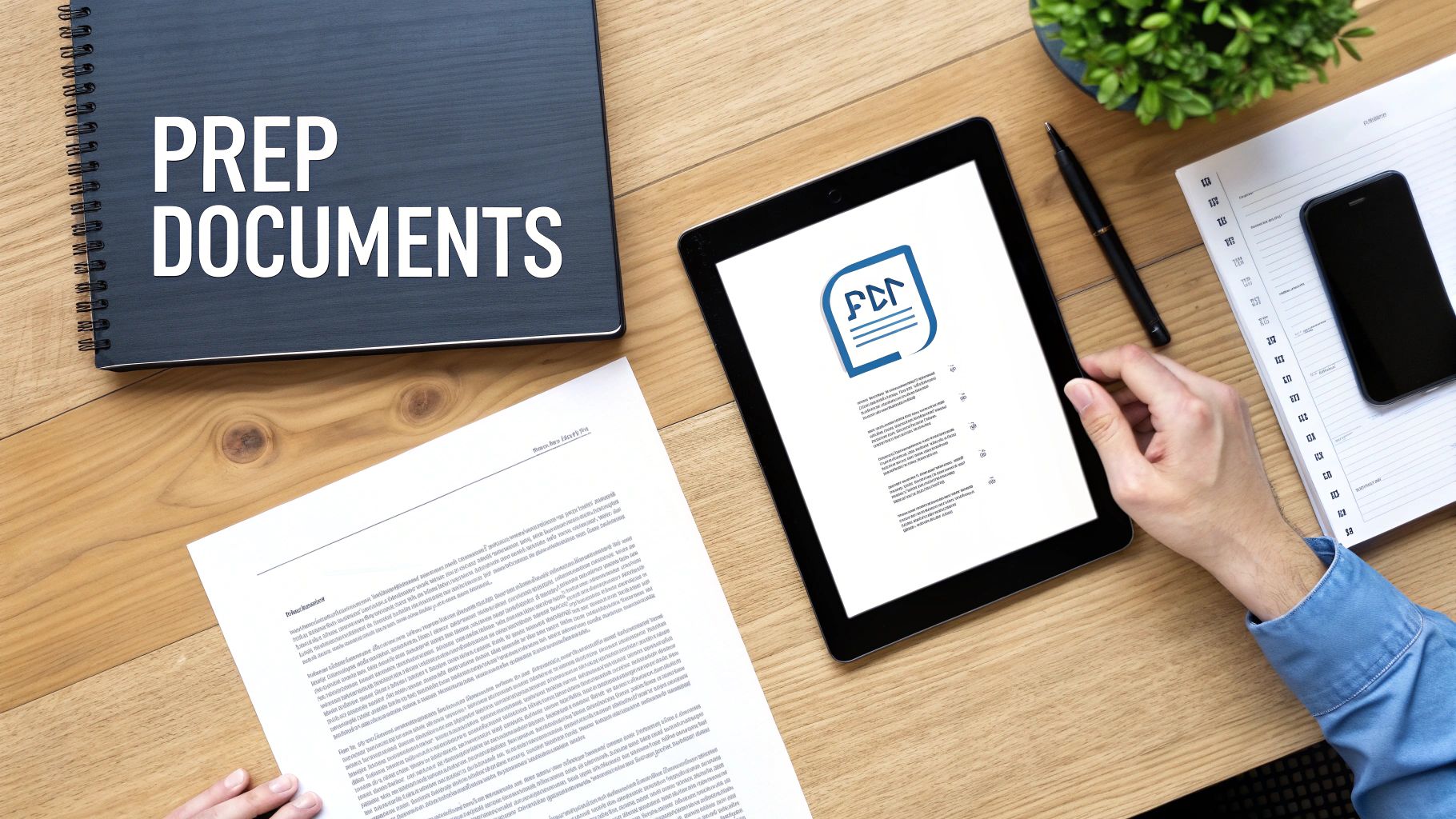
The single most important thing you can do is convert your file to a PDF. While many services, including SendItFax, accept common formats like DOC and DOCX, a PDF essentially freezes your document in time. It locks in all your formatting—the fonts, the margins, the images—so it looks exactly the way you designed it when it prints out on the other end. If you're working from a Microsoft Word file, our guide on how to convert Word to PDF makes the process a breeze.
Optimizing for Clarity and Compatibility
Once your document is saved as a PDF, give it one last look-over. It’s crucial to remember that faxes are transmitted in black and white, and this can dramatically affect how your document appears.
A few things I always check for:
- Font Size: Anything too small becomes a blurry smudge. I stick with a font size of at least 12 points to keep everything legible.
- Detailed Graphics: Complex charts or images with subtle color differences don't fax well. It's best to use simple, high-contrast graphics and basic line art when you can.
- File Size: Most online fax services have file size limits. Bloated files from high-resolution images are a common culprit for failed faxes, so keep it as lean as possible.
This quick quality check ensures your document lands looking crisp and professional, which is always the goal.
The move toward preparing documents digitally like this is part of a much bigger picture. The digital fax market is actually growing, with a projected 10.2% CAGR. This growth is fueled by its reliability in key fields like healthcare and legal services. It's a fascinating hybrid approach—blending the trusted, secure nature of traditional faxing with the efficiency we expect today. For a deeper dive, you can explore more about these market trends on Arizton.com.
Crafting a Clear Cover Page
Lastly, don't forget the cover page. This is your fax's first impression. Treat it like a professional memo and include all the key details upfront.
Make sure it clearly states your full name and contact info, the recipient's name and department, and a simple, direct subject line. In the message area, I always mention the purpose of the fax and, most importantly, the total number of pages being sent (including the cover sheet). This small step helps prevent confusion and makes sure your document gets into the right hands without any delay.
Security, Privacy, and Common Troubleshooting
When you're dealing with sensitive documents—think contracts, medical records, or financial statements—you can't afford to take chances. It might seem counterintuitive, but using a no phone line fax service actually adds a serious layer of security that often leaves standard email in the dust. You get to sidestep all the usual email headaches, like phishing scams and malware-loaded attachments.
Here’s how it works: reputable online fax providers encrypt your data from the moment you hit send. Your document gets scrambled into unreadable code while it travels across the internet, creating a secure pipeline from your screen straight to the recipient's fax machine or digital inbox. This encryption makes it virtually useless to anyone trying to intercept it. To get a deeper understanding of the technical side, check out our guide on the security of fax.
This blend of old-school reliability and modern tech is why faxing has stuck around. It provides transmission confirmations and carries a low risk of fraud, which is why it continues to be the go-to for secure communication in many industries.
Solving Common Fax Failures
Even with the best technology, sometimes a fax just won't go through. It happens. But before you get frustrated and hit "resend" a dozen times, take a breath. The fix is usually surprisingly simple.
Most failed faxes trace back to just a few common slip-ups. Running through this quick checklist will solve the problem nine times out of ten.
- Incorrect Fax Number: This is, without a doubt, the number one culprit. It’s so easy to mistype a digit. Make sure you've entered the full 10-digit number, including the area code. Watch out for extra spaces or dashes where they don't belong.
- Unsupported File Format: While services like SendItFax are pretty flexible, it’s always safest to stick with standard formats. PDF, DOC, or DOCX are your best friends here. Trying to send an obscure file type can cause the system to stumble.
- Exceeding Page or File Limits: Every plan has its rules. If you're on a free plan, for instance, you might be capped at a certain number of pages (like three pages on SendItFax's free tier). Also, keep an eye on file size—a document packed with high-resolution images can easily exceed the limit.
- Recipient's Line is Busy: Yep, this classic issue still exists in the digital world. The fax machine on the other end might be busy receiving another document, or it could simply be turned off. Just give it a few minutes and try again.
Pro Tip: If you’ve checked everything and your fax is still failing, try sending a test. Create a simple, one-page document with only a few words of text and send that. If the test goes through, you know the problem is with your original file's size or formatting.
By walking through these steps, you can get to the bottom of most sending issues and make sure your important documents arrive without a hitch.
Common Questions About No Phone Line Faxing
Even when a process seems simple, stepping into new technology always brings up a few questions. I've helped countless people make the switch to online faxing, and a few key queries pop up time and time again. Getting these cleared up usually gives people the confidence they need to send important documents without looking back.
One of the first things people ask me is, "Will the person on the other end know I didn't use a real fax machine?" The answer is simple: no. An online fax service acts as a translator, converting your digital file into the standard analog signal that fax machines understand. To the machine on the receiving end, it looks exactly like any other fax coming through.
Can I Receive Faxes This Way Too?
This is a big one. It's crucial to understand that most of the straightforward, pay-per-fax services, including SendItFax, are built for sending faxes only. They're designed for one-way communication and don't give you a number where people can send faxes back to you.
If you need a two-way street—sending and receiving—you'll need to look at a subscription-based online fax service. These platforms assign you a dedicated virtual fax number. When someone sends a fax to that number, it doesn't go to a clunky machine; instead, it lands neatly in your email inbox as a PDF.
It all comes down to matching the tool to the job. If you just need to send off a signed contract or a medical form occasionally, a simple service like SendItFax is perfect. But if your workflow involves regular back-and-forth faxing, investing in a service with a dedicated number is the way to go.
How Do I Know If My Fax Was Delivered?
Ah, the "send and pray" anxiety. It's a real concern, and thankfully, online services have a great solution. Forget waiting by a machine for a tiny, printed confirmation slip. As soon as your fax is sent, you'll get a detailed email confirmation.
This email is your digital proof of delivery and typically includes:
- Delivery Status: A clear "Success" or "Failed" message.
- Transmission Details: The exact date, time, and duration of the fax.
- Recipient Information: The number you sent it to.
This email receipt is just as valid as the old paper confirmation sheets, which is critical for legal documents or anything with a deadline. I always tell my clients to create a specific folder in their email to save these confirmations. It's a simple organizational habit that can be a real lifesaver if you ever need to prove a document was sent.
Is It Really Secure?
Absolutely. In many ways, sending a fax online is actually more secure than using a traditional machine. When you use a service like SendItFax, your document is encrypted as it travels from your computer to the service's servers and then on to the recipient.
Just think about the old office fax machine. Your sensitive document would sit in the output tray for anyone to see. With an online service, your file goes from your private device directly to the recipient's machine or their own secure inbox. This drastically cuts down the risk of your private information being seen by the wrong eyes.
Ready to send your documents securely without the hassle of a phone line? Try SendItFax today for a fast, simple, and professional experience. Send your first fax in minutes at https://senditfax.com.
Related Posts
Fax Cover Sheet to IRS: How to Send It Right
MS Office Fax Cover Sheet Template: Create and Customize