Free Online Fax No Sign Up: Send Faxes in Minutes
Yes, you absolutely can send a fax online for free without having to sign up for an account. It's a lifesaver when you need to send a document right now and don't want the hassle of creating an account or pulling out your credit card for a one-time thing.
Sending a Fax Online in a Pinch
Ever been there? You've got a signed contract or a time-sensitive medical form that needs to be faxed immediately, but the last time you saw a physical fax machine was probably a decade ago. The thought of subscribing to a service for a single document is just plain overkill.
This is precisely the gap that no-signup, free online fax services fill. They offer a quick, no-strings-attached solution for those occasional, urgent needs. And believe it or not, faxing is still incredibly relevant in many industries—over 80% of businesses still rely on it. Many of these businesses use free online platforms for sporadic sends, which you can see in current fax usage trends.
So, What's the Catch?
It's natural to wonder how these services can afford to be free. Their business model is actually pretty simple and built on a few key things:
- Advertisements: Most free services will place their own branding or a small ad on the cover page they generate for your fax. It's a small price to pay for a free transmission.
- Upgrade Paths: They operate on a classic "freemium" model. The free tier is intentionally limited to encourage users with heavier needs—like sending more pages or needing a dedicated number—to upgrade to a paid plan.
- Strict Limits: The free service always comes with clear rules, which we'll break down next.
Setting the right expectations is key. Think of a free online fax service as the digital version of a public copy machine. It’s perfect for a quick, one-off task but isn't built for high-volume, professional use. Knowing the limitations upfront is the best way to have a smooth, frustration-free experience.
What to Expect from Free No-Signup Fax Services
To give you a clearer picture, here’s a quick look at the typical features and limitations you'll find with popular services like FaxZero and GotFreeFax.
| Feature | Typical Offering | What This Means For You |
|---|---|---|
| Page Limit | 3-5 pages per fax, including the cover page. | Keep it short and sweet. This is ideal for single documents like a signed form or a receipt, not a 20-page report. |
| Daily Limit | 2-5 faxes per day from a single IP address. | You can't send dozens of faxes. It's designed for occasional, not bulk, sending. |
| Cover Page | Usually mandatory and includes the service's branding. | You won't get a clean, unbranded cover page. The recipient will know you used a free service. |
| File Types | PDF, DOC, DOCX are standard. Some support image files. | Make sure your document is in a common format. You can't just send any old file type. |
| Confirmation | Email confirmation of delivery (or failure). | You'll get peace of mind knowing your fax went through, but there's no real-time tracking. |
| International Faxing | Rarely supported on free plans. Usually US & Canada only. | If you need to send a fax overseas, you'll almost certainly need to upgrade to a paid service. |
Ultimately, these services offer a fantastic trade-off: you accept some limitations in exchange for a fast, free, and convenient way to send a document without any commitment.
Getting Your Documents Ready for Faxing
Before you can send a free online fax no sign up required, the quality of your document makes all the difference. A blurry, crooked, or poorly formatted file will just look like an unreadable mess on the other end, completely defeating the purpose. So, let's start with getting your file in order.
Most free services, including ours at SendItFax, are happy with standard file types like PDF, DOC, and DOCX. While a Word document is perfectly fine, I always recommend saving it as a PDF before you upload. This one simple step locks in all your formatting—fonts, margins, images, everything—so the recipient sees exactly what you do.
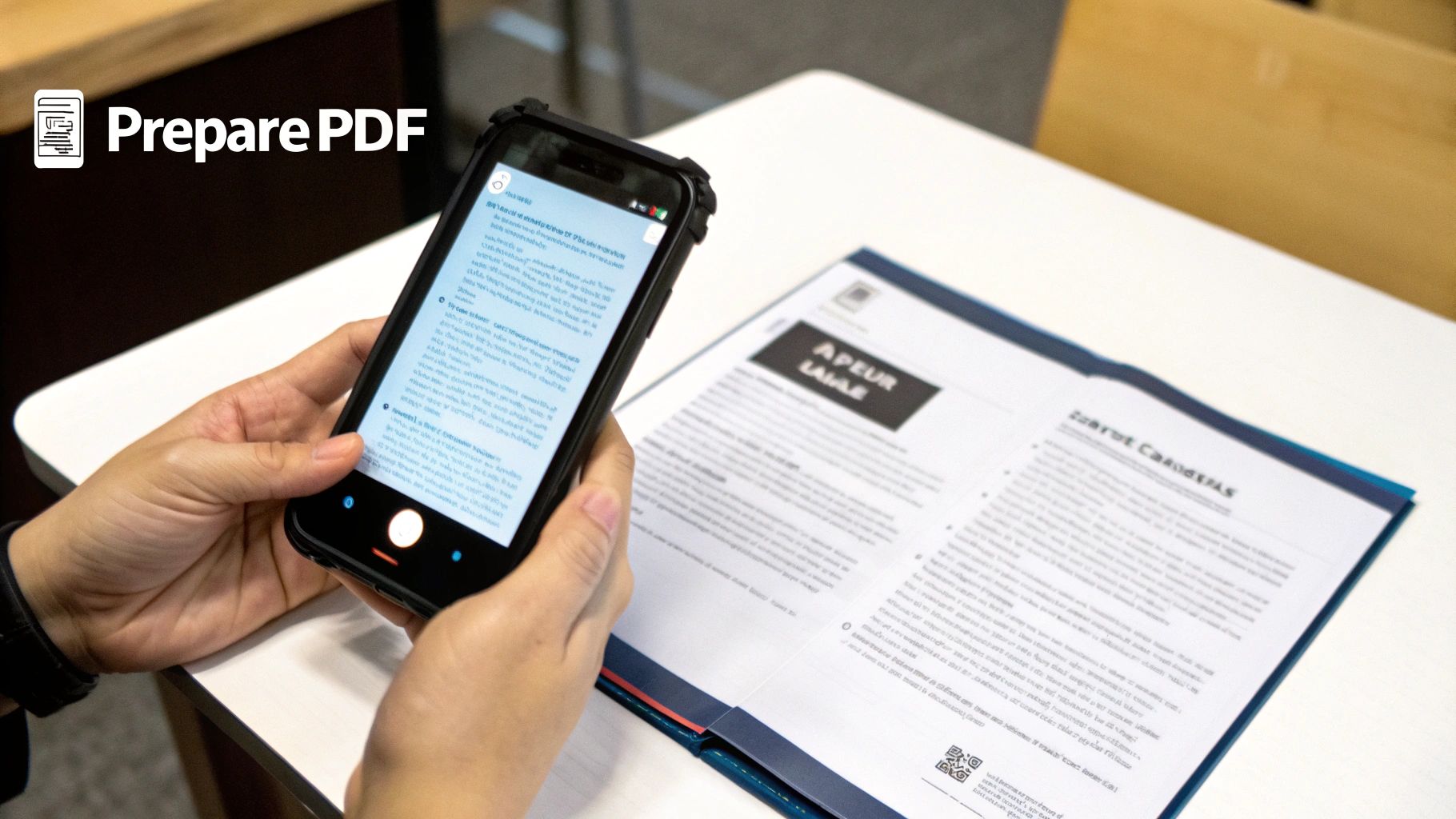
But what if your document is a physical piece of paper? No problem. You don't need a clunky scanner anymore; your smartphone is all you need.
Turning Paper into a High-Quality Scan
Modern phone cameras are fantastic. To get a scan that looks clean and professional, just use your phone’s built-in notes app (Apple Notes and Google Keep both have this feature) or download a dedicated scanning app.
All you have to do is lay the document on a flat, well-lit surface—good lighting is key to avoiding weird shadows—and hold your phone directly over it. The app will usually find the edges, snap a picture, and convert it into a crisp PDF that’s ready to go. This trick is a lifesaver for sending signed contracts or receipts when you're on the go.
If you want a more detailed walkthrough, our guide on how to send a fax online has some extra tips.
Pro Tip: If you're ever in doubt about the quality, send a test fax to yourself or a friend. It’s a two-minute check that can save you the headache of resending an important document because it came through garbled.
Final Checks Before You Upload
Alright, before you hit that upload button, give your document one last look. A quick once-over can prevent some common (and easily avoidable) issues.
Here’s a quick mental checklist:
- Is it legible? Zoom in on the file. Is the text sharp? Pay special attention to small print or handwritten signatures. Fax transmission can sometimes reduce quality, so starting with a crystal-clear file is your best bet.
- Is it facing the right way? It sounds basic, I know, but you’d be surprised how many documents get sent sideways or even upside down. A quick rotation check saves the person on the other end from having to crane their neck.
- Is everything there? Scroll through to make sure all the pages are included and in the correct order. The last thing you want is to realize you forgot the all-important signature page after the fax has already gone through.
Taking a minute to handle these prep steps ensures your fax arrives looking professional and readable, making the whole process smooth and effective.
Sending Your First Free Fax: A Step-by-Step Guide
Alright, let's walk through a real-life scenario. Imagine you've just signed a two-page rental agreement and need to get it to the property manager ASAP. The document is sitting on your computer as a PDF, and you've found a service that offers free online fax without sign-up.
Here's exactly how you'd get that document from your screen to their fax machine.
When you land on the site, you'll be greeted by a simple, no-nonsense form. These services are built for speed—no accounts to create, no passwords to remember. Just the essentials to get your fax sent.
Who It's From and Where It's Going
First things first, you’ll need to fill in the sender and recipient details. It’s pretty straightforward, but a small typo here can cause the whole thing to fail.
- Your Info (The Sender): Put in your name and email address. That email is non-negotiable; it’s how the service will send you the delivery confirmation or, if it fails, a notification telling you what went wrong.
- Recipient’s Info: This is where you need to be extra careful. Enter the property manager’s name and their fax number. I can't stress this enough: double-check that fax number, area code and all. A single wrong digit is the number one reason faxes don't go through.
The whole point of these forms is to get you in and out in under a minute. The layout is clean, with obvious fields for your details, their details, and your document.
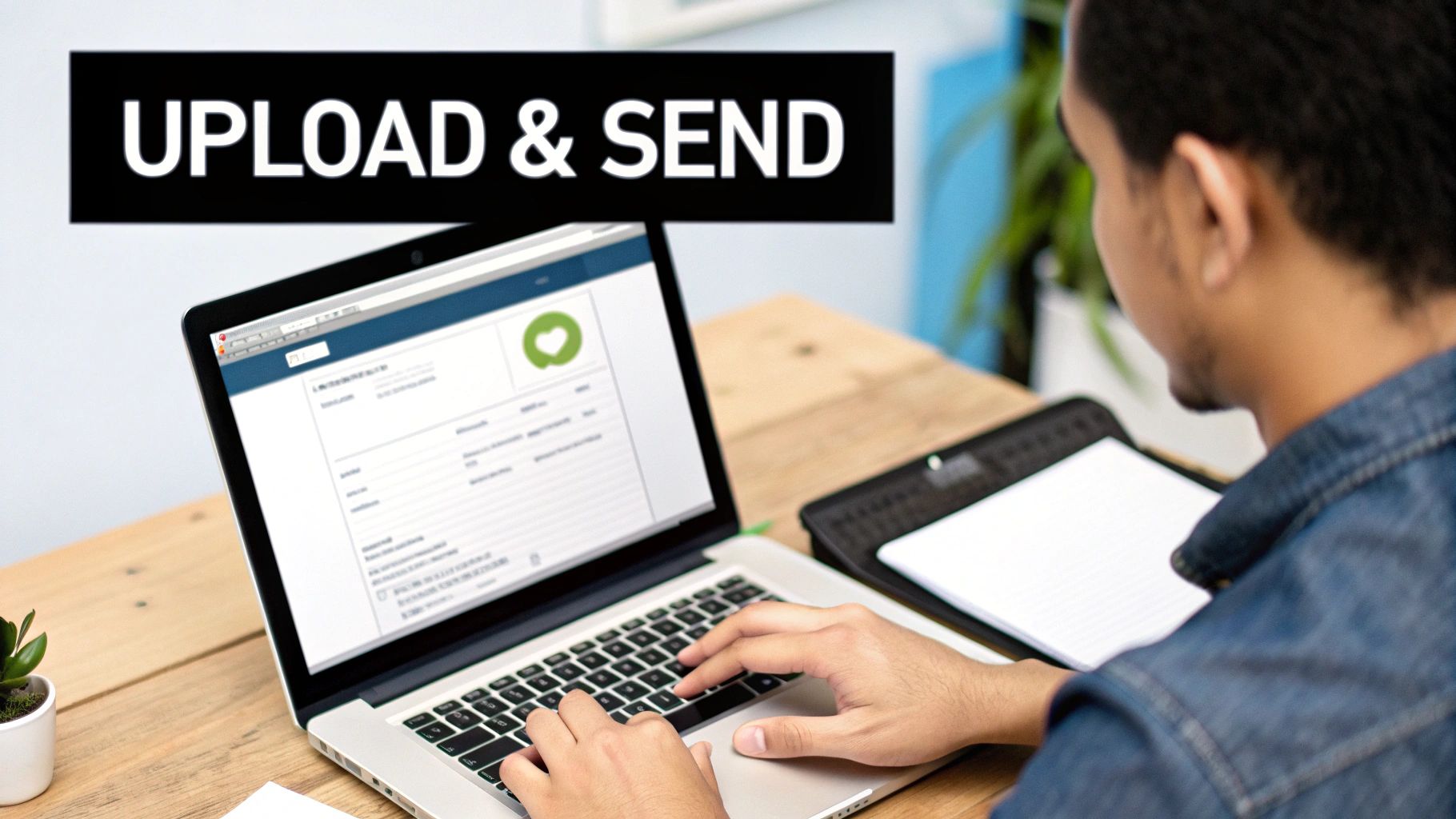
As you can see, a good service puts everything you need right on one page to keep things simple.
Attaching Your Document and Writing a Cover Note
With the contact info locked in, it's time to upload your rental agreement. Look for a button that says something like "Choose File" or "Upload," and then navigate to the PDF on your computer. Most services are flexible and will accept common formats like PDF, DOC, or DOCX without any trouble.
You’ll also see a text box for an optional cover page message. My advice? Always use it. It adds a professional touch and immediately tells the recipient what they're looking at.
For our rental agreement, something simple and direct is perfect:
"Subject: Rental Application for 123 Main St.
Attached is the signed rental agreement for Jane Doe. Please let me know you've received it. Thank you."
That quick note provides all the necessary context, so the property manager isn't left guessing. It’s a small detail that makes a huge difference in professional communication. If you want to dive deeper into best practices, our guide on how to send a free fax from your computer has a ton of useful tips.
The Final Check Before Hitting Send
Before you click that big "Send" button, pause for ten seconds. Seriously, just give everything one last look.
Scan your name and email. Read the recipient’s fax number back to yourself. Make sure you attached the right file—you don’t want to send your grocery list by mistake! You'll probably also have to enter a confirmation code from an image to prove you're a human, and tick a box to agree to the terms.
Once you hit send, your fax is officially in the queue. You won't get an instant "sent" message on the screen. Instead, keep an eye on your inbox. An email confirmation should land within a few minutes to half an hour, letting you know if the transmission was successful.
And that's it! Your urgent document is on its way, all without creating an account or pulling out your wallet.
What's the Catch with Free Faxing?
Let's be real—nothing is truly free. When you send a free online fax without signing up, you're using what's known as a "freemium" service. This simply means you get the basic functionality at no cost, but there are a few strings attached. Understanding these trade-offs from the get-go will save you headaches and help you decide if a free service is right for what you need to send.
The biggest limitation you'll almost always run into is a page cap. Most providers limit you to three pages per fax, not including their cover page. This is usually plenty for sending back a signed agreement, a quick invoice, or a doctor's referral. It’s not, however, going to work for your 20-page business proposal.
Daily Limits and Provider Branding
Beyond just the page count, these services are built for occasional, one-off use, not for someone running a business from their kitchen table.
- Daily Quotas: You can typically send a maximum of five free faxes per day from your IP address. This is a fair system to prevent abuse and keep the lines open for everyone.
- Branded Cover Pages: This is the big one. Your fax will almost certainly arrive with the service provider's logo or a small ad on the cover page. It’s how they pay the bills. Think of it as the price of admission for a convenient, no-cost service.
This model works great for a lot of people. Services like FaxZero and GotFreeFax have perfected this, letting you send up to 5 free faxes daily with that 3-page limit, all without needing an account. It’s worth checking out a few free fax providers to see how their offerings stack up.
Confirmations, Quality, and Support
When your fax goes through, you'll get an email confirmation, but it's pretty basic. It will tell you if the fax was delivered successfully or if it failed. You won't get the detailed transmission reports or real-time tracking you'd expect from a paid service. Your fax also goes into a general queue, so it might take a bit longer to send than a premium user's would.
Pro Tip: Free services are fantastic for text-based documents. If you're sending something with high-resolution photos or detailed graphics, be prepared for some quality loss. The compression can make images look fuzzy or pixelated on the receiving end.
Finally, don't expect to get someone on the phone if you run into trouble. Customer support for free users is usually limited to an FAQ page or a general contact form.
For a non-urgent document that isn’t highly sensitive, these trade-offs are a perfectly reasonable price to pay. But if you’re sending something mission-critical, confidential, or that needs a polished, professional look, spending a few bucks on a one-time paid fax is absolutely the way to go. It’s all about matching the tool to the task.
How to Protect Your Privacy When Faxing Online
Let's be honest, sending a document through a random website feels a bit risky. And it should. When you use a free online fax no sign up service, you’re temporarily handing your information over to a third party. While it's incredibly convenient, it pays to be smart about what you send and how you protect your privacy.
Most reputable free fax services aren't in the business of hoarding your files. Their privacy policies usually state that your documents are wiped from their servers shortly after successful delivery. This is a key detail to check—it means the window of exposure for your information is kept as small as possible.
Still, the security level isn't foolproof. Most services use standard SSL/TLS encryption for the upload process, which is the same basic security that protects your connection on most websites (look for the little padlock in your browser). It’s good, but it’s not designed for highly confidential data.
What’s Safe to Send?
So, what's fair game for a free service? Think of it as the digital equivalent of dropping a letter in a public mailbox. It's perfect for low-stakes, everyday paperwork where privacy isn't a top-tier concern.
Here are a few real-world examples of documents that are generally fine:
- A signed permission slip for your kid's school field trip.
- A price quote you've prepared for a potential client.
- A simple, non-confidential application form for a club or event.
- An invoice or receipt for a small purchase.
The bottom line is, if you wouldn't panic if the document got left on a coffee shop table, it's probably okay to send via a free online fax service.
My personal rule of thumb is this: if the document contains information you wouldn't be comfortable shouting across a crowded room, don't send it through a free service. This includes anything with Social Security numbers, detailed medical histories, or bank account statements.
What to Avoid Sending
For some documents, the convenience of a free tool just isn't worth the risk. Free platforms are not built to handle highly sensitive data or meet the strict compliance standards of regulations like HIPAA.
Keep these documents off free faxing services:
- Financial Records: Things like tax forms, bank statements, or loan applications.
- Personal Identification: Copies of your driver’s license, passport, or Social Security card.
- Sensitive Legal Documents: Confidential contracts, court filings, or anything under attorney-client privilege.
- Protected Health Information (PHI): Any medical records or information that falls under HIPAA.
When you're dealing with this level of sensitive information, it’s time to upgrade. A paid, professional fax service offers the compliance-grade security and peace of mind you need. Trying to cut corners with free tools for critical documents opens the door to serious risks, from privacy breaches to identity theft. Always match the tool’s security to the document’s sensitivity.
When It’s Time to Move Beyond a Free Fax Service
A free online fax no sign up service is a lifesaver for those rare, one-off moments you need to send something. It’s perfect for a quick signature or a single form. But there's a tipping point where the convenience of free gives way to the need for something more robust.
It’s not that the free service is bad—it’s just designed for a very specific, limited use. Recognizing when you’ve outgrown it is key to keeping your workflow smooth and professional.
The Tell-Tale Signs You Need an Upgrade
The most obvious trigger? Volume. If you’re consistently hitting the three-page limit or find yourself sending more than a couple of faxes a month, the free model starts to work against you. Trying to break a 10-page contract into four separate faxes just isn't practical, and frankly, it looks unprofessional to whoever is on the receiving end.
Another huge factor is the need to receive faxes. Free services are a one-way street; you can send, but you can't get anything back because you don’t have a dedicated fax number. If you have clients, patients, or partners who need to fax documents to you, a paid plan with your own number isn't just a nice-to-have, it's a necessity.
Then there's the nature of the documents themselves. Think about what you're sending. Free services are great for non-sensitive paperwork, but they lack the heavy-duty security required for confidential information.
- Sensitive Information: Are you faxing medical records, financial statements, or documents with personal ID numbers? You absolutely need a service with enhanced encryption and, in many cases, HIPAA compliance.
- Going Global: Most free tools are limited to the U.S. and Canada. If you need to send a fax to Europe or Asia, a paid international plan is your only real option.
- A Professional Touch: Let's be honest, the branding on a free fax cover page can be a deal-breaker. A paid service lets you send clean, professional faxes that represent your business, not someone else's.
The moment faxing shifts from a rare chore to a regular part of your business, it’s time to invest in a proper tool. The security, reliability, and professional image you gain from a paid service are easily worth the small monthly cost.
Comparing Your Paid Options
So, what's the bottom line? It all comes down to what you’re sending. Is it a permission slip for your kid's field trip, or is it a legally binding contract for a major client? The stakes are completely different.
For a deep dive into what different providers offer, check out our comprehensive online fax services comparison. It breaks down the features and pricing to help you find the perfect fit for your specific needs and budget.
Paid services deliver real-world benefits like detailed delivery confirmations, the ability to handle huge documents, and actual customer support you can talk to. These features provide a level of confidence and peace of mind that a free tool simply can't offer. When the documents matter, that peace of mind is an investment worth making.
Got Questions About Free Online Faxing? We've Got Answers
Sending a fax online for the first time can feel a little strange. It’s not quite email, not quite the old clunky machine in the corner office. If you've got a few questions buzzing around, you're not alone. Let's tackle some of the most common ones I hear.
How Long Does It Actually Take?
This is probably the biggest question people have. When you hit "send" on a free service, your fax doesn't transmit instantly. It goes into a queue with everyone else's.
Think of it like waiting in line at the post office. Most of the time, your fax will be on its way within a few minutes, but it could take up to 30 minutes if the service is swamped. It’s reliable, just not instantaneous.
How Do I Know It Went Through?
You’re not just sending your document into the void. Any decent free fax service will send a confirmation email to the address you provided. This is your digital receipt.
This email is crucial—it will tell you one of two things:
- Success: Your fax was delivered.
- Failure: The transmission didn't complete.
If it fails, the email usually gives you a reason, like a busy signal or a wrong number. That way, you know exactly what to do next instead of just guessing.
What Kind of Files Can I Send?
While you can't just upload any old file type, the options are pretty flexible. For the best results, stick to the tried-and-true formats that preserve your document's layout.
Your safest bets are always:
- PDF: This is the best choice. It locks in your formatting, so what you see is what they get.
- DOC/DOCX: Microsoft Word files are universally accepted.
- JPG/PNG: Common image files work well, especially for things like signed forms or sketches.
A Quick Note on Privacy: Free services are perfect for everyday documents, like sending a signed contract or a quick form. But for highly sensitive information—think medical records or financial documents with personal IDs—it's always smarter to use a service with enhanced security features.
Is It Really Free? What's the Catch?
Yes, it’s genuinely free, but it's important to understand the business model. These services work by offering a basic, no-cost option with clear limitations.
The "catch" is simply the set of restrictions in place:
- A page limit, usually around three pages.
- A daily sending cap.
- A small ad or the provider's branding on the cover page.
The providers hope that when you need to send a 10-page report, require a clean, professional cover sheet, or need to fax documents regularly, you'll find their paid plans worth the small investment. The free version is a fantastic tool for a quick, one-off task without pulling out your credit card.
Ready to send your fax in less than a minute? With SendItFax, you can send up to three pages for free right now, no account needed. For larger documents or a more professional look, our Almost Free plan has you covered. Try it now at SendItFax.com.
Related Posts
What Is a Fax Cover Sheet and Why It Still Matters
Fax Number Lookup: How to Find and Verify Any Fax Number