Faxing Without a Phone Line: A Guide to faxing without a phone line
It might sound like a technology from a bygone era, but faxing is still surprisingly relevant. Thankfully, sending a fax without a phone line is now incredibly straightforward. You can use a variety of digital tools—from web services and email gateways to handy mobile apps—to send documents securely without ever touching a physical fax machine or a landline.
Why Faxing Still Matters in a Digital World
It’s a fair question: in an age of instant messaging and email, why are we still talking about faxes? The short answer is security and legal standing. For industries like healthcare, finance, and law, a fax isn't just a message; it's a secure, verifiable transmission. Unlike a standard email that can be intercepted or spoofed, a fax creates a direct, point-to-point connection.
This is exactly why faxing without a phone line has become so popular. It delivers the trusted security of a traditional fax while fitting into a modern, mobile workflow. You get the best of both worlds—sending legally recognized documents from your laptop or phone, no bulky hardware required.
The Enduring Power of the Fax Network
Faxing’s longevity is a classic case of the "network effect." A staggering 43 million fax machines are still in use globally. Because so many organizations are still connected, everyone else needs a reliable way to communicate with them, even if they've personally ditched their landlines.
North America is a huge part of this, with a fax market valued at over $1.3 billion in 2022. This is largely driven by sectors like U.S. healthcare, where compliance rules like HIPAA make faxing a go-to method for handling sensitive patient data.
Modern Solutions for an Old Problem
Today's technology gives us several clever ways to bridge the gap. Each method offers the proven reliability of traditional faxing but with the convenience we expect from digital tools.
Here’s a look at the three main approaches we'll cover, each suited for different situations.
To help you choose the right path, here’s a quick breakdown of how these modern faxing methods stack up against each other.
Modern Faxing Methods at a Glance
| Method | Best For | Typical Cost | Key Advantage |
|---|---|---|---|
| Web-Based Fax Service | Occasional, one-off faxes or regular business use. | Free (limited pages) or monthly subscription ($5-$20). | User-friendly interface; no software installation needed. |
| Email-to-Fax | Integrating faxing into an existing email workflow. | Usually included in paid fax service subscriptions. | Seamless and fast; works from any device with email. |
| Mobile Fax App | Sending faxes on the go, especially from physical documents. | Per-fax fees or subscription plans. | Ultimate portability; uses your phone’s camera as a scanner. |
Each of these options preserves the core security that makes faxing essential. If you want to dive deeper into the technical differences, you might find our detailed comparison of fax vs. email security insightful.
Ultimately, these alternatives aren't just convenient workarounds. They often prove to be more affordable and eco-friendly by cutting down on paper, ink, and the cost of maintaining old hardware.
Sending a Fax Right From Your Web Browser
For most people, the quickest and easiest way to fax without a phone line is through a web-based service. Think of it as turning your internet browser into a surprisingly powerful fax terminal. You don't need any special hardware or software—if you know how to attach a file to an email, you've got all the skills you need.
Let’s say you’re a freelance designer who just landed a new client. They need you to sign and return a contract ASAP to process your first payment. Instead of wasting time and money trying to find a local print shop with a fax machine, you can just open your browser, upload the signed PDF, and send it directly to their office. The whole thing can be done in under five minutes.
These online platforms are designed to handle modern documents. Whether your file is a PDF, a Word doc, or even a high-resolution JPG, you can usually upload it directly without having to mess with file conversions.
Getting Your Document Ready to Send
First things first: your document needs to be in a digital format. If it’s already on your computer, like an invoice from your accounting software, you're good to go. But what if you have a physical piece of paper?
No need to run out and buy a scanner. Your smartphone is more than capable. Just use the camera or a dedicated scanning app to take a clear, high-contrast picture.
A few quick tips to get a good scan with your phone:
- Use a dark, flat surface. This helps the text pop and kills any weird shadows.
- Hold your phone directly over the document. This avoids creating a skewed, distorted image that's hard to read.
- Save it as a PDF or JPG. These are the most common formats and work with virtually every online fax service.
I can't tell you how many times I've seen people send a quick, angled photo taken in a dimly lit room. On the receiving end, it often comes out as a gray, unreadable smudge. Take an extra 30 seconds to get a clean, well-lit scan. It makes all the difference.
Once you have your digital file, the rest is a breeze. You just head to a service like SendItFax, type in the recipient's fax number, upload your file, and click send.
One-Time Fax vs. a Monthly Subscription
Not all web fax services are created equal. They generally fall into two camps, and picking the right one depends entirely on how you’ll be using it.
For our freelancer sending that one-off contract, a pay-per-use or even a free service is perfect. These are built for occasional, urgent faxes. You can send a few pages without signing up for a monthly plan. Some free options might put their logo on the cover page, but a small one-time fee of around $1.99 often removes the branding and lets you send more pages.
On the other hand, a small business sending invoices and purchase orders every week would be much better off with a subscription service. These plans give you a dedicated fax number for receiving documents, much higher page limits, and other business-focused features. It’s a far more practical and scalable solution for regular faxing. If you're curious about the specifics, you can learn more about how to send an e-fax with different platforms.
What Features Should You Look For?
Choosing a service isn't just about finding the "send" button. The right features will ensure your faxes are delivered securely and look professional.
Here's a quick breakdown of what to prioritize:
| Feature | Importance for Occasional Users | Importance for Business Users | Why It Matters |
|---|---|---|---|
| SSL/TLS Encryption | High | Critical | This is non-negotiable. It protects your document's data from being intercepted as it travels over the internet. |
| Delivery Confirmation | High | Critical | You get a digital receipt proving your fax was successfully delivered—essential for legal or financial documents. |
| Transparent Pricing | High | High | Nobody likes surprise fees. Look for clear pricing so you know exactly what you're paying for extra pages or long-distance faxes. |
| No Branding Option | Medium | High | For business use, you'll want to remove the service provider's logo from the cover page for a more professional look. |
Ultimately, faxing from your browser is the most direct path to sending faxes today. It’s a reliable solution that works whether you send one document a year or hundreds every month.
How to Send a Fax Directly From Your Email
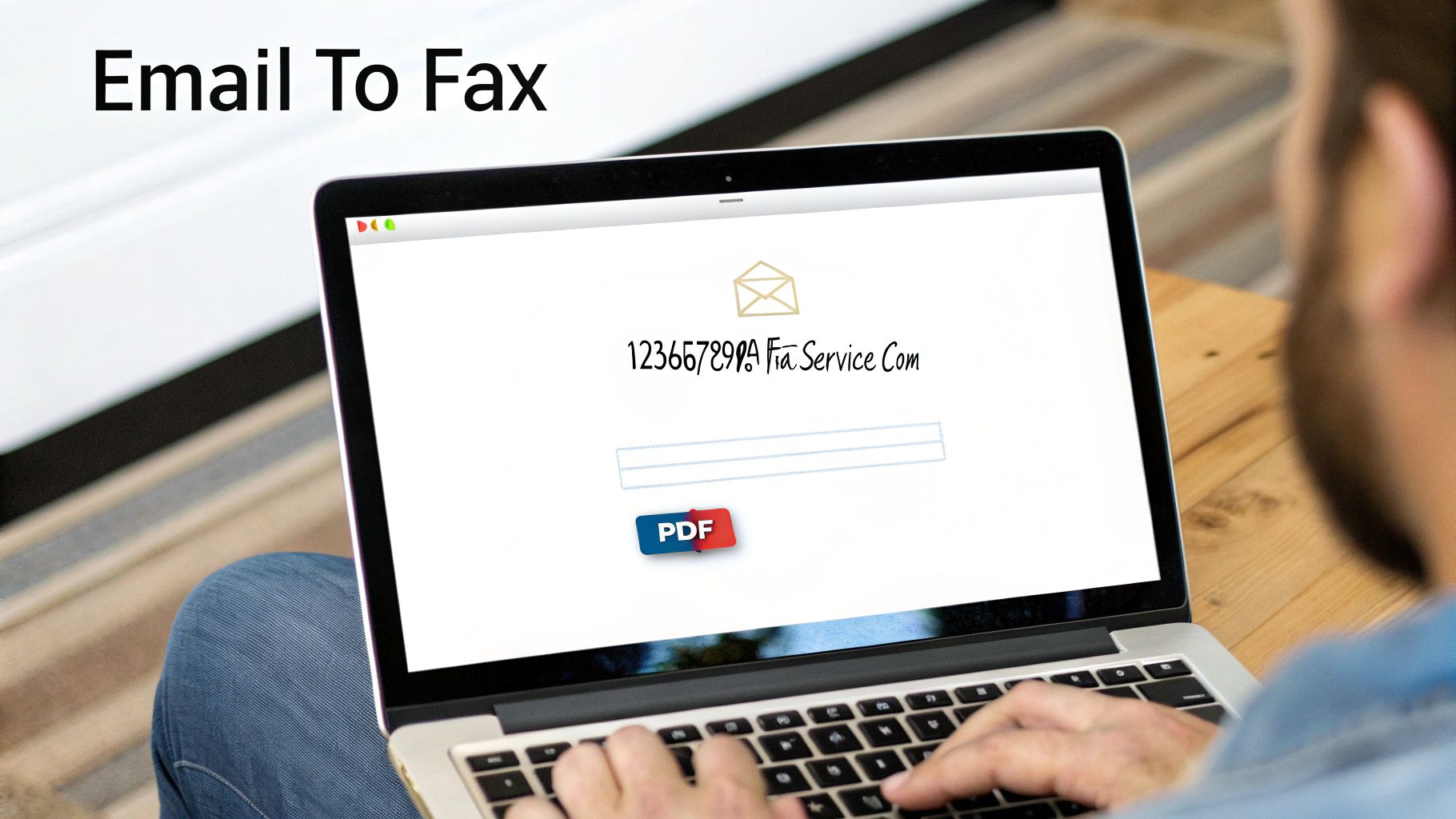
If you’re like me and spend most of your day in your email inbox, switching to a different app or website just to send a fax feels like a total workflow killer. This is where email-to-fax technology really shines. It turns your everyday email client—Gmail, Outlook, you name it—into a surprisingly powerful faxing tool.
The whole process is ingeniously simple. You write an email, attach your document, and a service on the other end does the heavy lifting of converting it into a fax. For anyone who needs to send documents on the fly without breaking their stride, this is hands-down one of the most efficient ways to go.
Composing Your Email for Fax Transmission
Now, you can’t just type a regular email address into the "To" field. Online fax services have a special format that tells their system, "Hey, this is a fax, not a regular email." While each provider might have a slight variation, the basic recipe is the same.
The recipient’s address will look something like this: [faxnumber]@faxservice.com.
Let's say you need to send a document to 1-800-555-0199. If you were using a service like SendItFax, you’d address your email to [email protected]. You simply mash the 10-digit fax number together with the service's domain.
Once you’ve got the address right, the rest of your email becomes the fax itself.
- The Subject Line: This becomes the "Subject" on the fax cover page. Something clear like "Signed Contract for Client XYZ" works perfectly.
- The Email Body: Whatever you write here is what will show up in the "Notes" section of the cover page.
- Attachments: This is the main event. The files you attach—PDFs, Word docs, JPEGs—are turned into the pages of the fax that follow the cover sheet.
Think about it in a real-world scenario. You're a freelancer who needs to send an invoice to a client who, for whatever reason, only accepts them by fax. Instead of a multi-step process involving printing and scanning, you just attach the PDF invoice to an email, pop the special fax address in the "To" field, and hit send. Done in under a minute, right from your inbox.
It’s a deceptively simple trick that can save a surprising amount of time. If you want to dive deeper into the specifics, our complete guide on how to fax via email breaks it all down.
Managing Confirmations and Creating an Audit Trail
One of the few things I appreciated about old-school fax machines was getting that printed confirmation page—physical proof the document was delivered. Email-to-fax services have taken that concept and made it much better by creating a digital paper trail.
After you send your email, the service takes over, dials the number, and transmits your files. As soon as it's done (or if it fails), you get a confirmation email right back in your inbox.
This confirmation email is your new proof of delivery and typically includes:
- A clear status update ("Successfully Sent" or "Failed")
- The exact date and time of the transmission
- The total number of pages sent
- A PDF copy of the fax you sent for your records
This digital receipt is gold. It’s automatically archived in your email, creating a searchable, organized history of every fax you send. For anyone dealing with contracts, legal notices, or medical records, this automatic audit trail is invaluable. No more binders full of flimsy, faded confirmation sheets.
Using Your Smartphone to Send a Fax on the Go
Let's face it, our office is often just wherever we happen to be. In a world where your pocket holds your most powerful productivity tool, you can absolutely send a fax without a landline. With the right mobile app, your smartphone becomes a portable scanner and fax machine, ready to send documents from anywhere with a signal.
Think about this real-world scenario: you're at a conference and urgently need to send a signed expense form back to accounting. Instead of scrambling to find a hotel business center, you can just pull out your phone. Open an app, snap a quick scan of the form, and send it directly to the office fax machine. It's that simple. This kind of on-the-fly capability is a lifesaver for anyone working remotely or traveling frequently.
The whole process is surprisingly easy, boiling down a once-clunky task into a few taps on your screen.
Turning Your Phone Camera Into a High-Quality Scanner
Before you can fax a physical document—like a signed contract or your driver's license—you need to digitize it. You could just take a regular photo, but a little bit of care here makes a huge difference. A blurry or crooked image can be completely unreadable when it comes out of the fax machine on the other end.
Here are a few tips I've learned for getting a perfect scan every time:
- Find good lighting. Place your document under a bright, even light source. This simple step kills the shadows that can swallow up important text.
- Use a contrasting background. A white piece of paper on a dark table is perfect. It helps the app’s edge-detection feature find the document’s borders without any guesswork.
- Get parallel. Hold your phone directly above the document, as flat and parallel as you can. Most scanning apps will help guide you, but this prevents that distorted, trapezoid look.
Good faxing apps come with built-in scanning tools that do the heavy lifting. They'll automatically crop, straighten, and bump up the contrast, turning a basic photo into a crisp, black-and-white file that looks like it just came off a proper flatbed scanner.
Choosing the Right Mobile Fax App
Once your document is scanned and ready, you need an app to actually send it. Mobile fax apps generally fall into two camps, and knowing the difference can save you a lot of headaches and hidden costs.
Free apps are fantastic for a one-off, non-urgent fax. They get the job done, but they usually come with some strings attached:
- Page limits: You might be stuck sending just 2-5 pages per fax.
- Ads: Expect your experience to be interrupted by advertisements.
- Branded cover pages: The fax service will often slap its own logo on your cover sheet, which doesn't exactly scream "professional."
For anything business-related or sensitive, you’ll want an app that’s tied to a paid online fax service. They offer a much more reliable and feature-rich experience.
Take a real estate agent, for example. They need to send a time-sensitive offer on a house. They can't afford a failed transmission because a free app was overloaded. Using a paid service’s app ensures the fax gets priority delivery and provides a detailed confirmation receipt for their records—something that’s absolutely critical in that line of work.
These premium apps integrate right into your paid account, giving you access to contacts, saved documents, and a full history of every fax you've sent. They deliver a professional solution that keeps your documents secure and free of third-party branding. Honestly, the peace of mind is well worth the small monthly fee.
Choosing the Right Online Fax Service
Diving into the world of online fax services can feel like a chore. With so many choices for faxing without a phone line, it’s easy to get lost. But here's the thing: the best service isn't always the cheapest one. A platform that's perfect for a freelancer sending an occasional invoice is going to be a terrible fit for a medical clinic that has to worry about patient privacy.
The real goal is to find a service that slots right into your existing workflow, meets your security needs, and has a price that actually makes sense for how much you'll use it.
Identify Your Core Needs First
Before you even glance at a pricing page, take a minute to think about what you actually need. A little self-assessment upfront will save you a ton of time and prevent you from paying for bells and whistles you'll never touch.
Start by asking yourself a few key questions:
- How often will I be faxing? Are we talking about one document a month or dozens every single day? Your faxing volume is the biggest factor in finding the right plan.
- Do I need to receive faxes, too? Many of the simple, pay-as-you-go services are for sending only. If you need a dedicated number for people to fax you back, you’re almost certainly looking at a subscription.
- What am I sending? If you're dealing with legal contracts, financial data, or medical records, security features like HIPAA compliance and strong encryption are non-negotiable.
Once you know your own needs, you can evaluate services through the right lens. A real estate agent, for instance, might care most about a slick mobile app for sending offers from the road. A law firm, on the other hand, would be laser-focused on finding a service with detailed audit trails and top-tier security.
This flowchart can help you decide on the best method based on whether you're starting with a paper document or a digital file.
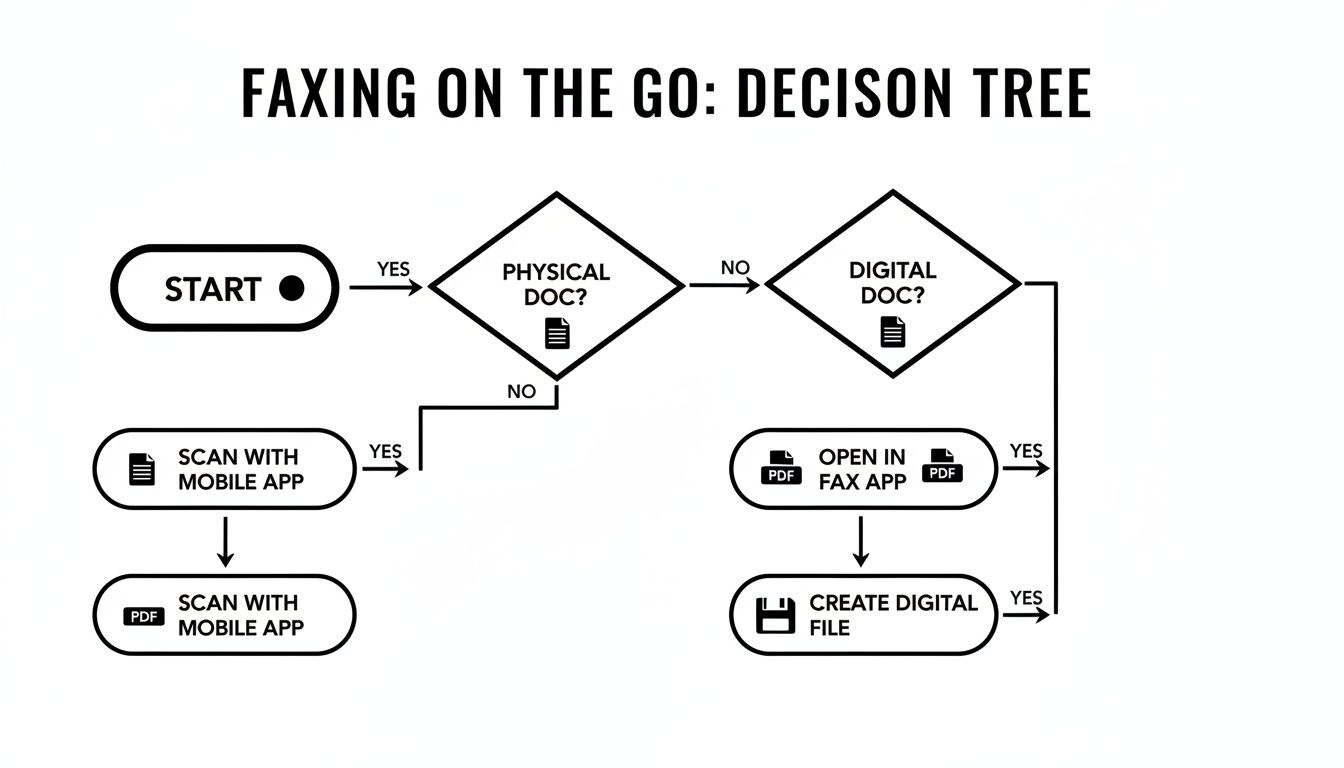
As you can see, whether you have a paper document in your hand or a PDF on your computer, a web service or mobile app is your direct path to getting it sent.
Comparing Pricing Models And Features
Online fax services typically fall into one of three buckets: free, pay-per-use, and subscription. Each one is built for a different kind of user, and knowing the trade-offs is key.
The online fax market is growing fast—projected at a 5.78% CAGR through 2029—as more people and businesses ditch their old hardware. This growth is largely fueled by small and medium-sized businesses that need flexible, modern solutions. For example, a service like SendItFax offers a spectrum of choices. Their free tier lets you send up to 5 faxes of 3 pages per day, which is perfect for a nonprofit or someone with very light needs. Their "Almost Free" plan, at just $1.99, bumps that up to 25 pages and removes the branding—a great middle ground. You can read more about the growth of the online fax market on Global Market Monitor.
To make it clearer, let's break down how these different models stack up against each other.
Feature Comparison Free vs Pay-Per-Use vs Subscription Fax Services
| Feature | Free Service (e.g., SendItFax Free) | Pay-Per-Use (e.g., SendItFax Almost Free) | Monthly Subscription |
|---|---|---|---|
| Upfront Cost | None | Low one-time payment | Recurring monthly/annual fee |
| Sending Limits | Very limited (e.g., 5 faxes/day, 3 pages/fax) | Moderate (e.g., 25 pages) | High volume (hundreds or thousands of pages) |
| Receive Faxes? | No | No | Yes, with a dedicated fax number |
| Branding | Provider branding/ads on cover page | None | None |
| Advanced Features | Basic sending only | Basic sending only | Email-to-fax, mobile apps, integrations |
| Security | Standard encryption | Standard encryption | Enhanced security, HIPAA compliance options |
| Ideal User | Individuals with one-off, non-urgent needs | Small businesses or individuals with occasional faxing needs | Businesses with regular faxing volume and professional requirements |
Ultimately, picking the right plan is about being realistic about your own habits.
The key is to match the service tier to your actual faxing habits. Paying for a high-volume subscription when you only send two faxes a month is like buying a bus pass when you only need a single ticket. Conversely, relying on a limited free service for critical business operations is a recipe for frustration.
Security And Compliance Are Non-Negotiable
For many professionals, the main reason to even use a fax service is security. When you’re handling documents with sensitive personal, financial, or medical info, a data breach is simply not an option.
When you're comparing services, look for clear statements about their security protocols. These are the essentials:
- SSL/TLS Encryption: This is the baseline for protecting any data sent over the internet. Make sure the service uses it for every single transmission.
- HIPAA Compliance: If you're in healthcare in the U.S., this isn't a "nice-to-have"—it's the law. A HIPAA-compliant service has specific safeguards to protect patient information.
- Secure Storage: How are your sent and received faxes stored? Good providers use encrypted, access-controlled data centers to keep your documents safe.
A service's commitment to security often shows up in certifications like ISO/IEC 27001, which proves they have a serious information security management system. Don’t be afraid to read a provider's privacy policy and terms of service. A company you can trust will make this information easy to find.
Got Questions About Digital Faxing? We've Got Answers
Switching from an old, clunky fax machine to a slick online service is a game-changer, but it's natural to have a few questions. How does it work? Is it secure? Let's clear up some of the most common uncertainties people have when they ditch the dedicated phone line.
Honestly, once you make the switch, you'll see that modern online faxing isn't just a substitute—it's a massive upgrade. The market numbers back this up, too. Valued at over $3.2 billion in 2022, the fax services industry is expected to rocket past $6.3 billion by 2030. That kind of growth happens when a technology just works better. You can dig into the fax market trends and their drivers if you're curious about the details.
Are Online Faxes Secure and Legally Binding?
Yes, they are, and in many cases, they're actually more secure than the old way. Any reputable online fax provider uses robust encryption like SSL/TLS to protect your documents while they're in transit. Think of it as an armored car for your data—it makes the contents unreadable to anyone trying to intercept it.
This is especially critical in fields like healthcare or law, where confidentiality is non-negotiable. If you're in one of these industries, you'll want to choose a service that is explicitly HIPAA compliant.
Here's something most people don't consider: with a traditional fax, your sensitive document might sit out in the open on a shared machine for anyone to grab. An online fax lands directly in a password-protected email or online portal. Only the right person ever sees it.
That simple difference in delivery method closes a huge privacy loophole.
Can I Get Faxes Sent to Me Without a Phone Line?
Of course. When you sign up for a paid online fax service, you typically get your own dedicated virtual fax number. Anyone with a traditional fax machine can send documents to that number just like they always have.
On your end, the service grabs that incoming fax, converts it into a clean PDF file, and sends it straight to your email. No paper, no ink, no waiting by a machine. It's worth noting, though, that most of the free or one-off fax services are built for sending only—they usually don't give you a number to receive faxes.
What if My Online Fax Doesn't Go Through?
This is one of the best parts about faxing online: you get instant, clear feedback. You're never left wondering if it worked. If a fax fails, a good service will immediately send you an email notification explaining what went wrong.
Usually, it's for a simple reason:
- The number on the other end was busy.
- You typed in an incorrect or out-of-service fax number.
- The recipient's machine was turned off or out of paper.
And unlike the old days of manually hitting redial over and over, most online platforms will automatically retry sending the fax a few times before giving up. It handles the annoying part for you.
Do I Need a Scanner for My Paperwork?
Not at all. While you can always use a scanner or a scanning app on your phone for physical documents, the real beauty of online faxing is how well it works with the digital files you already have.
You can send documents directly from your computer without ever printing a single page. Most services are built to handle all the common file types you use every day.
- PDFs for contracts and official forms.
- DOCX files straight from Microsoft Word.
- JPG images for photos or scanned IDs.
This means you can fire off an invoice, a signed contract, or a design proof right from your desktop in seconds. It’s a faster, more efficient way to work that also happens to be great for the environment (and your paper budget).
Ready to send a fax in minutes without an account? With SendItFax, you can upload your document, enter the number, and send it securely from your browser. Try our simple, no-fuss faxing solution today!
Related Posts
Fax Cover Sheet to IRS: How to Send It Right
MS Office Fax Cover Sheet Template: Create and Customize