Faxing a Cover Letter: A Practical Guide for 2026
More than 17 billion faxed documents were sent in the United States in 2019, including more than 9 billion from healthcare, so faxing a cover letter is still essential for sensitive healthcare and legal workflows. You can format one in about two minutes with plain black-on-white text, standard sender and recipient fields, and a clear page count.
You're probably dealing with a document that needs to leave your desk now: a resume for an employer, medical records for a hospital, a signed agreement for a lawyer, or an application for a government office. Email may be faster for ordinary correspondence, but the recipient may have specifically requested a fax, or their intake process may still depend on one.
The practical question isn't whether fax feels modern. It's whether your transmission will reach the right department, be identified correctly, and arrive with enough context for someone to process it without calling you back. A well-built cover letter handles that routing work. A cluttered one, or an omitted one when the recipient requires it, creates avoidable friction.
Why Fax Cover Letters Still Matter in 2026
You're sending an important document to a number that belongs to a large organization. The person receiving it may not know your name, may handle several departments, and may see your attachment mixed in with many other transmissions. Without a cover page, a resume can look like an unexplained document, a medical form can land with the wrong team, and a legal filing can lose its context before anyone opens the attachment.
That's why the cover letter functions as the first routing page, not as decorative etiquette. It tells the recipient who sent the fax, who should receive it, what it concerns, and how many pages to expect. The broader role of fax in professional workflows is covered in this guide to what faxes are used for.
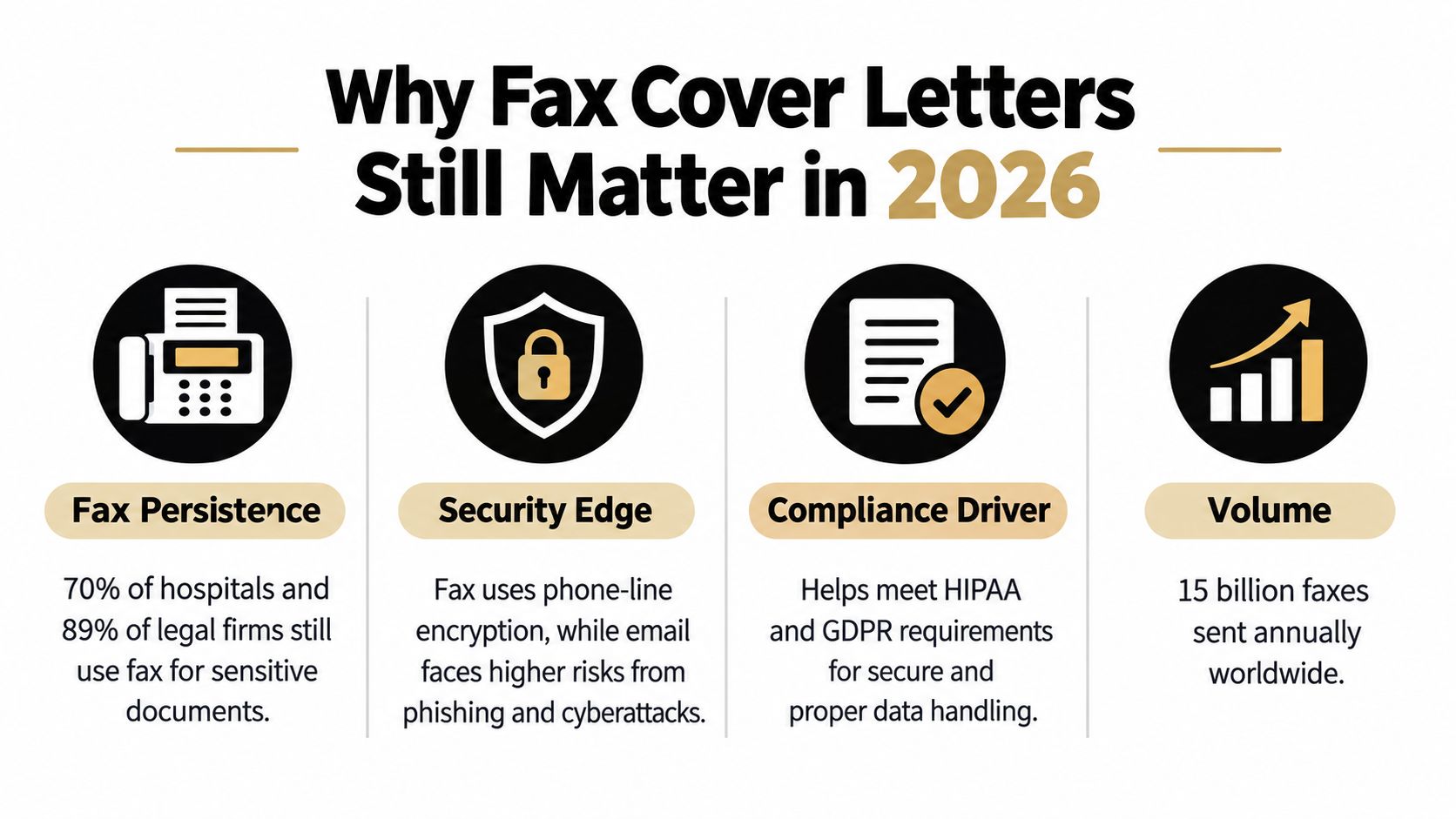
The scale of fax traffic explains why these details still matter. More than 17 billion individual faxed documents were sent in the United States in 2019, and the U.S. healthcare industry accounted for more than 9 billion of them, according to Communications of the ACM's overview of modern fax usage. The same source cites an IDC survey in which 82% of respondents said fax usage had either increased or stayed the same year over year.
The routing problem is bigger than the document
Healthcare, legal, insurance, and public-sector offices often use department-level intake. A fax addressed only to a company name may sit in a general queue, while “Attn: Medical Records” gives staff an immediate destination. The cover page also gives the recipient a quick way to compare the expected page count with what arrived.
That small check helps identify incomplete transmissions. If the recipient expects a cover page plus an attachment and sees fewer pages, staff can contact you before acting on partial information. The cover sheet won't solve every delivery problem, but it gives people a usable index at the point where mistakes are easiest to catch.
Practical rule: Treat the cover page like a shipping label. It should help a busy person identify, route, and verify the package without opening every page.
Fax remains relevant even as organizations adopt portals, email, and browser-based tools. A cover letter earns its place when several people or departments may handle the transmission, when the document is sensitive, or when the recipient has strict intake instructions. In those situations, clarity matters more than visual polish.
The Anatomy of a Professional Fax Cover Sheet
A professional fax cover sheet should be one page, appear before the attachment, and use a concise, formal message. Guidance from Thirtyfax on writing a fax cover sheet treats it as a routing page with identifiers, a page total, and a short statement of purpose.
Build yours in this order:
-
Recipient details: Include the recipient's name, organization, fax number, and department. If the office uses department routing, write it explicitly, such as “Attn: Medical Records” or “Attn: Litigation Team.”
-
Sender details: Add your name, organization if relevant, phone number, email address, and fax number when available. A recipient should have a direct way to reach you if a page is missing or the destination is unclear.
-
Transmission date: Use the date the fax is sent. This helps staff match the transmission with an application, case file, or request already in progress.
-
Subject: Keep it specific. “Resume for Marketing Coordinator Position” is more useful than “Documents,” while “Signed lease amendment for review” identifies both the document and the intended action.
-
Page count: Count the cover page in the total. A cover sheet followed by four attachment pages should say five pages total, not four. This is one of the most common avoidable errors in faxing a cover letter.
-
Short message: State why you're sending the material and what the recipient should do next. Two or three direct sentences are usually enough. Don't turn the cover page into a duplicate of the attachment.
Formatting that survives transmission
Use black text on a white background, a readable type size, and generous spacing between fields. Fax systems handle high-contrast documents more reliably than pages with decorative backgrounds, pale text, tiny type, or crowded design elements. A simple layout also lets a recipient scan the page quickly.
Avoid logos that dominate the page, shaded boxes, handwritten notes, and long paragraphs. If the document contains confidential information, follow the recipient's stated policy rather than adding legal language copied from a generic template. Some offices require specific confidentiality wording, while others provide their own cover page.
Before sending, verify the fax number against the recipient's current instructions. Confirm the recipient name, department, subject, and total page count. Then open the attachment and check that the pages are in the intended order.
Sending a Cover Letter with Online Fax Services
A physical fax machine makes the sequence visible. You place the cover sheet first, add the attachment, dial the number, and wait for a confirmation. The weakness is access. You need the machine, a functioning line, and a way to scan or print the document.
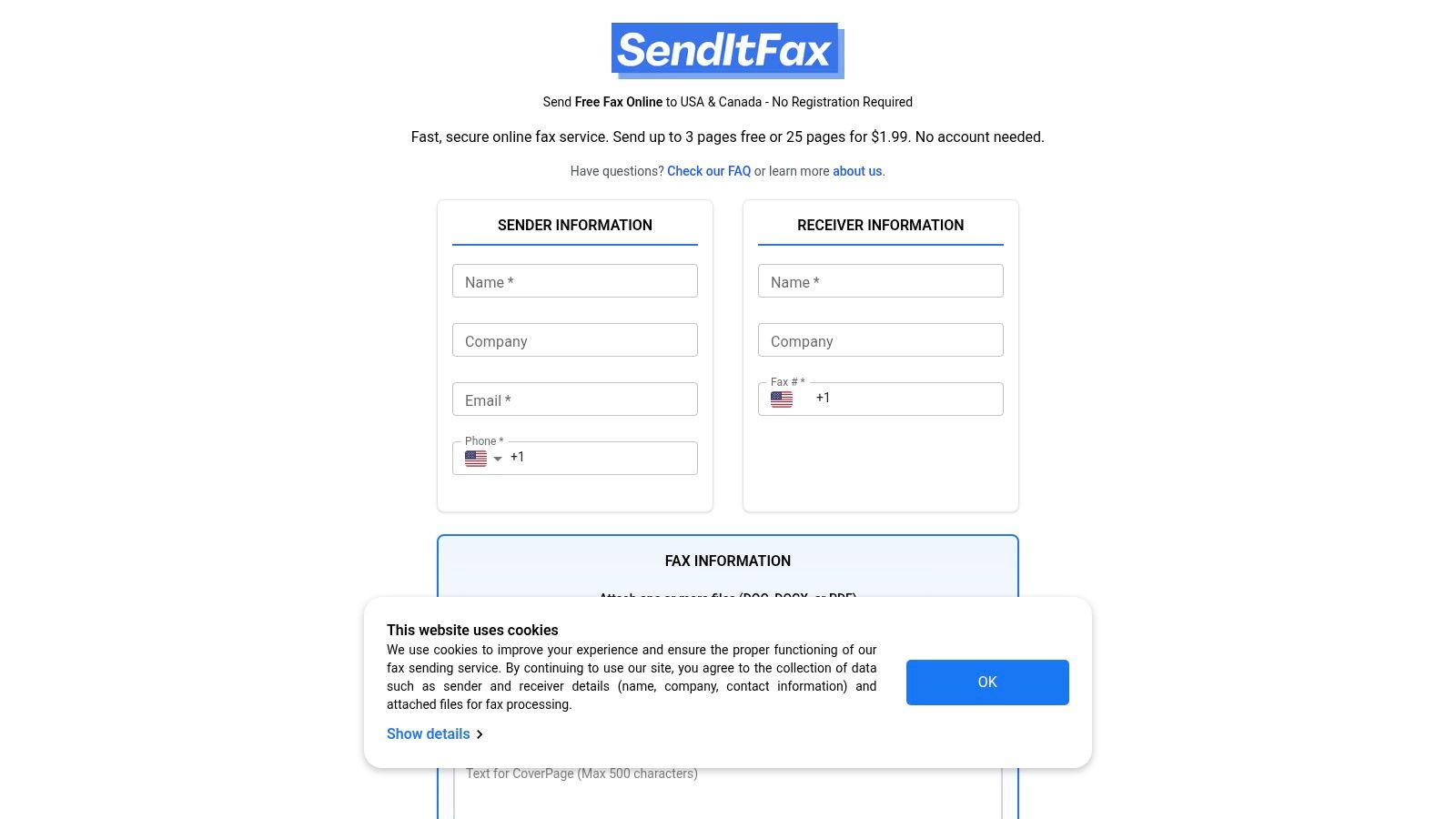
A browser-based service changes the mechanics. You enter sender and recipient information, upload a DOC, DOCX, or PDF file, add an optional cover-page message, and submit the transmission from a browser. The service generates or attaches the cover page as part of the sending flow, so you don't need to print a separate sheet and feed it through a machine.
The important distinction is control versus convenience. A custom document gives you precise wording and branding. A built-in cover field is quicker and reduces the risk of forgetting the page count or recipient details. For occasional sending, the latter is often enough. For a firm that sends the same type of document repeatedly, a prepared template may provide better consistency.
The pricing and page rules vary by service, so check them before uploading a time-sensitive file. The publisher's browser-based option allows sending to recipients in the United States and Canada without creating an account, accepts DOC, DOCX, and PDF files, and offers an optional cover-page message. Its free option includes up to three attachment pages plus a cover and applies a daily limit of five free faxes, while the Almost Free option costs $1.99 per fax, supports up to 25 pages, offers priority delivery, and removes service branding. These publisher details come from the supplied product information and should be checked on the service before use.
The practical choice: Use a generated cover page when speed and routing matter more than branding. Upload your own cover letter when the recipient expects a particular form or your organization needs exact presentation.
Faxing remains an active business process. A Business.com analysis of business faxing says about 17% of businesses globally still rely on faxing for critical operations. It also places the global fax services market at $3.3 billion in 2024, with a projection of $4.47 billion by 2030 at a 5.15% CAGR. Those figures don't mean every fax needs a cover page, but they do explain why browser services continue to support cover-page workflows.
For more detail on selecting a browser-based option, see this guide to online faxing services. If the attached document is a resume, separate job-application guidance on cover letter format tips for job seekers can help you prepare the letter itself before you transmit it.
Real-World Cover Letter Templates and Examples
A useful template gives the recipient enough information to route the fax without forcing you to write an essay. Keep the structure stable, then adjust the subject and message to match the document's purpose.
Job application
To: Hiring Manager, Northfield Design
Fax: [recipient fax number]
From: Jordan Lee
Phone: [your phone number]
Email: [your email address]
Date: [date sent]
Subject: Resume and cover letter for Junior Graphic Designer position
Total pages: 3, including this cover page
Message:
Please find my resume and cover letter for the Junior Graphic Designer position. I'm available at [phone number] or [email address] if you need any additional information.
This format works because it names the role and tells the hiring team exactly what follows. If the employer asked for a particular department or contact, use that name instead of “Hiring Manager.” For related job-application situations, guidance on declining a job offer professionally can help with the separate communication that may follow an application.
Medical records submission
To: Medical Records Department, Westlake Clinic
Fax: [recipient fax number]
From: Jordan Lee
Phone: [your phone number]
Date: [date sent]
Subject: Medical records request for Jordan Lee
Total pages: 5, including this cover page
Message:
Attached are the requested authorization form and supporting identification for processing. Please contact me if any page is missing or if the request must be routed to another department.
Don't add sensitive information to the subject that the recipient doesn't need for routing. Follow the clinic's instructions if it requires a specific patient identifier, confidentiality notice, or cover-page format.
Legal document transfer
To: Records Clerk, Parker & Holt LLP
Fax: [recipient fax number]
From: Jordan Lee, Lee Consulting
Date: [date sent]
Subject: Executed agreement for review
Total pages: 4, including this cover page
Message:
Attached is the executed agreement requested by your office. Please confirm receipt and advise if the signature page or any attachment is unreadable.
The wording is deliberately restrained. A cover page should identify the transmission and request the appropriate follow-up, not summarize legal advice or create ambiguity about what has been signed.
Routine business correspondence
To: Accounts Payable, Riverstone Supply
Fax: [recipient fax number]
From: Lee Consulting
Subject: Invoice correction for account review
Total pages: 2, including this cover page
Message:
Please review the attached corrected invoice and update the account record. Contact me using the details above if you need the original purchase order.
For more adaptable examples, the guide to fax cover letter examples can help you compare wording for different recipients and documents.
When to Skip the Cover Page Entirely
A cover page isn't automatically required for every fax. Independent etiquette guidance treats it as a routing aid, while also recognizing that the message is optional, should remain brief, and may be omitted in some workflows. The right decision depends on the recipient's rules, the relationship between sender and recipient, and how easily the attachment can be identified on its own.
Skipping it can make sense when the receiving office explicitly says not to include one, when a department uses a controlled intake form as the first page, or when you're adding pages to an existing transmission under instructions from a known contact. It may also be reasonable for a tightly controlled internal workflow where the recipient, fax number, document type, and expected page count are already established.
Omission still requires a check
Before removing the cover page, ask:
- Does the recipient require one? Hospitals, insurers, law offices, and government departments may have different routing, confidentiality, or department-level requirements.
- Can staff identify the document immediately? If the first attachment page has no name, case reference, account detail, or other approved identifier, omission may slow processing.
- Will the page count remain clear? A cover page often gives the recipient a simple way to detect a missing page. Without it, use the recipient's preferred method for labeling or confirming the transmission.
- Is the service adding one automatically? Browser tools may offer a generated cover page, a custom message, or an option to omit it. Select deliberately rather than assuming the default matches the recipient's policy.
Skip the cover only when the workflow already provides the same routing information another way.
The risk of omission is highest when the fax travels between organizations, reaches a shared number, contains sensitive records, or needs action from a specific department. In those cases, a plain one-page cover is usually the safer operational choice. The risk of including one is highest when the recipient has prohibited extra pages or supplied a mandatory format, so recipient instructions always take priority.
SendItFax lets you upload DOC, DOCX, or PDF files from a browser, add an optional cover-page message, and send to recipients in the United States and Canada without a fax machine or account. For a quick transmission, use its cover-page fields and verify the recipient, page count, and attachment before sending through SendItFax.
Related Posts
What Is a Fax Number Used for Today? 2026 Guide
7 Medical Fax Cover Sheets for Safer Sending